EasyManua.ls Logo

S.P.E. CHARGEPLUS - User Manual

S.P.E. CHARGEPLUS
9 pages
Print Icon
To Next Page IconTo Next Page
Loading...
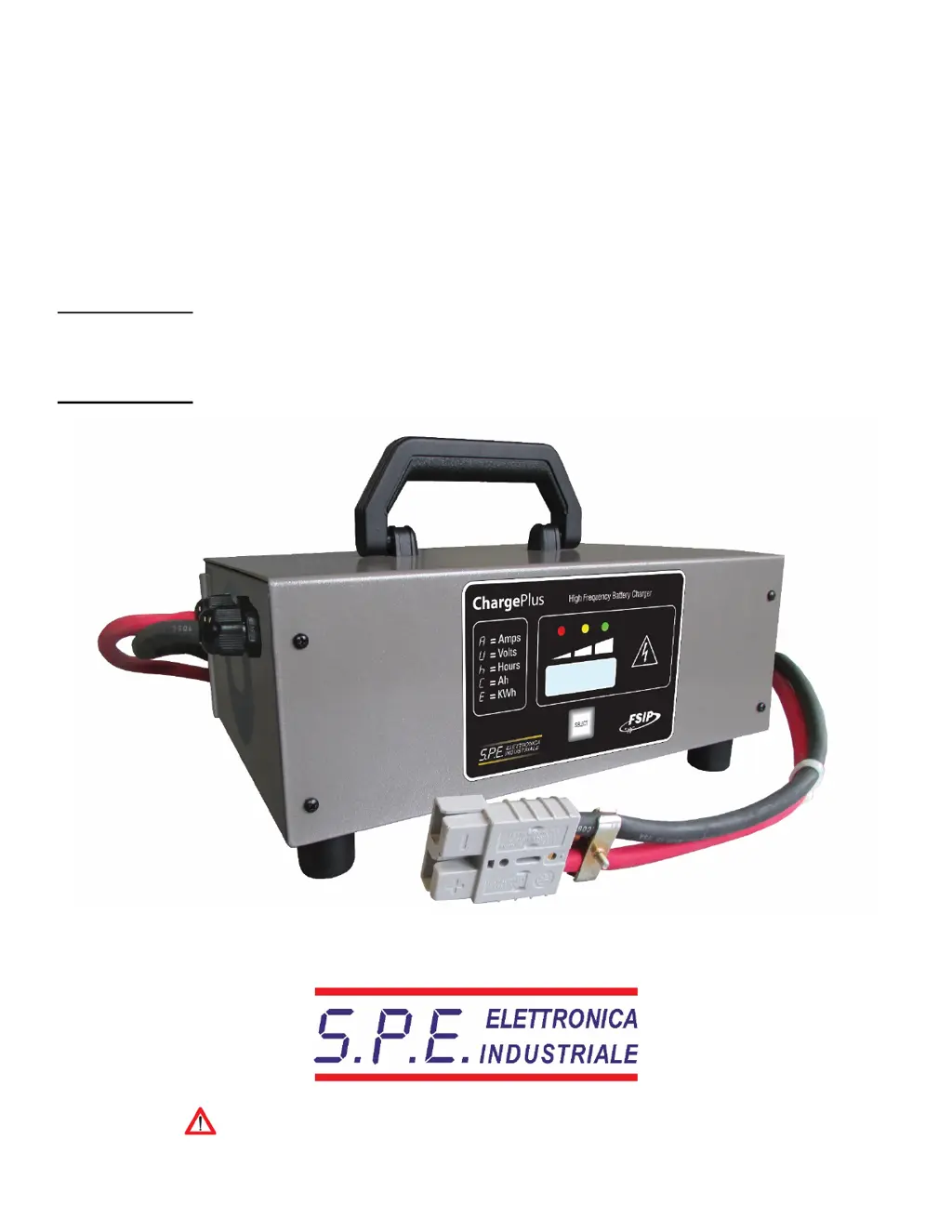
CHARGEPLUS
User Manual
High Frequency Battery Charger
Important Safety,
Installation and
Operation
Instructions
Attention: Read the user manual carefully before using the battery charger.

Questions and Answers

  • J
    James WheelerAug 3, 2025
    What does it mean if my S.P.E. CHARGEPLUS displays “E03”?
    • X
      xmccormickAug 3, 2025
      If the S.P.E. Battery Charger displays the message “E03”, it indicates that the maximum time for the charging phase has been exceeded, and the charging is interrupted.
  • J
    Jessica MedinaAug 9, 2025
    What does “SCt” mean on my S.P.E. CHARGEPLUS Battery Charger?
    • K
      Kimberly SmithAug 9, 2025
      If the S.P.E. Battery Charger displays the message “SCt”, it means the total safety timer has interrupted the charging.
  • H
    Heather JacobsonAug 15, 2025
    What to do if my S.P.E. CHARGEPLUS Battery Charger displays “bat” and the charging cycle doesn't start?
    • T
      Travis MitchellAug 15, 2025
      If the S.P.E. Battery Charger displays the message “bat” and the charging cycle does not start, check the connection to the battery and the polarity.
  • C
    Cindy FernandezAug 22, 2025
    What does “Srt” mean on my S.P.E. CHARGEPLUS Battery Charger?
    • T
      Tammy TaylorAug 22, 2025
      If the S.P.E. Battery Charger displays the message “Srt”, it indicates a possible internal short circuit. The unit needs to be sent to a repair center.
  • A
    Adrienne WatkinsAug 27, 2025
    What to do if yellow indicator will not light up even after 15 hours from the starting of the charge cycle, and the S.P.E. CHARGEPLUS display shows “E03”?
    • G
      gthompsonAug 27, 2025
      If the yellow indicator does not light up after 15 hours and the S.P.E. Battery Charger displays “E03”, check the battery for possible faulty components.

Summary

Front Panel Overview

Main Display

Shows charging current, voltage, time, Ah, and energy used.

Select Button Functionality

Cycles through display modes; returns to charging current after 10 seconds.

Control Indicators

Includes red (charging start), yellow (final phase), and green (charging complete) LEDs.

S.P.E. CHARGEPLUS Specifications

General IconGeneral
Input Voltage100-240V AC
Output Voltage5V
Battery TypeNiCd
CompatibilitySmartphones, Tablets
Charging Ports2

Related product manuals