104 Saab 9-5 Audio System
Song title, artist name, etc.
If a disc has been recorded with ID3 data
(version 1 & 2), the song title, artist name,
album title and MP3 folder name can be
shown in the display.
1 Press the i button.
2 Press the pushbutton under the desired
menu option. The song title, artist name,
album title or MP3 folder name appears
in the display.
3 Press the pushbutton under the arrow
symbol to return to the previous menu.
File names with more than 32 characters or
four pages will be shortened.
Information menu
Portable player
AUX input 3
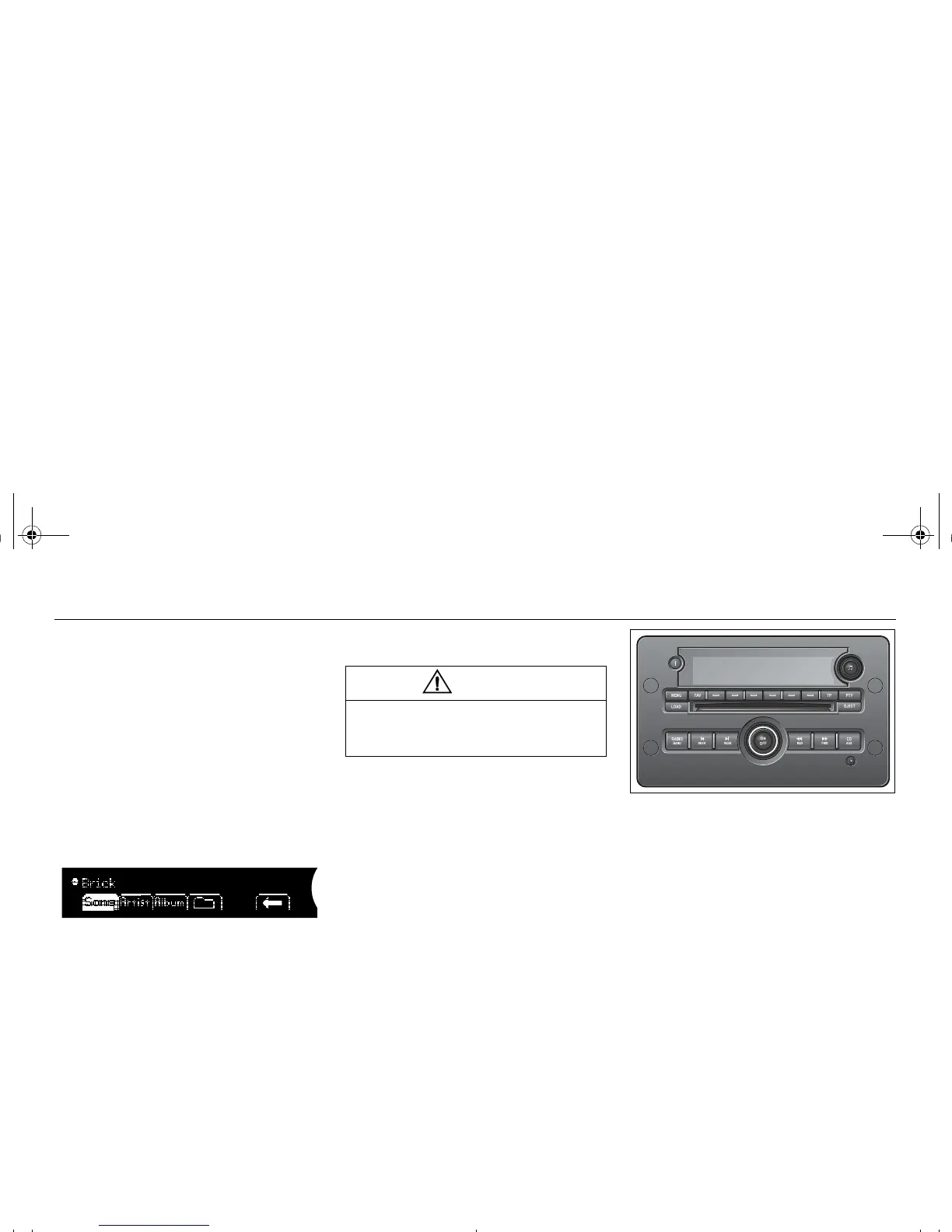
The AUX input is located at the bottom right
of the audio system. It can be used to con-
nect a portable unit, such as an MP3 player,
to the audio system.
Adjust the sound settings using the control
panel or the steering wheel controls. To
change tracks, fast forward, etc., use the
controls on the portable player.
AUX input at the bottom right of the audio
system
Connecting and activating a
portable player
1 Connect the unit to the audio system via
the AUX input.
2 Press the CD AUX button to activate the
portable player.
WARNING
Place the portable player where it cannot
be thrown around and cause personal
injury in the event of a collision.
95_U S_M 07.book Page 104 Friday, June 9, 2006 8:58 AM













 To Next Page