208 Car care and technical information
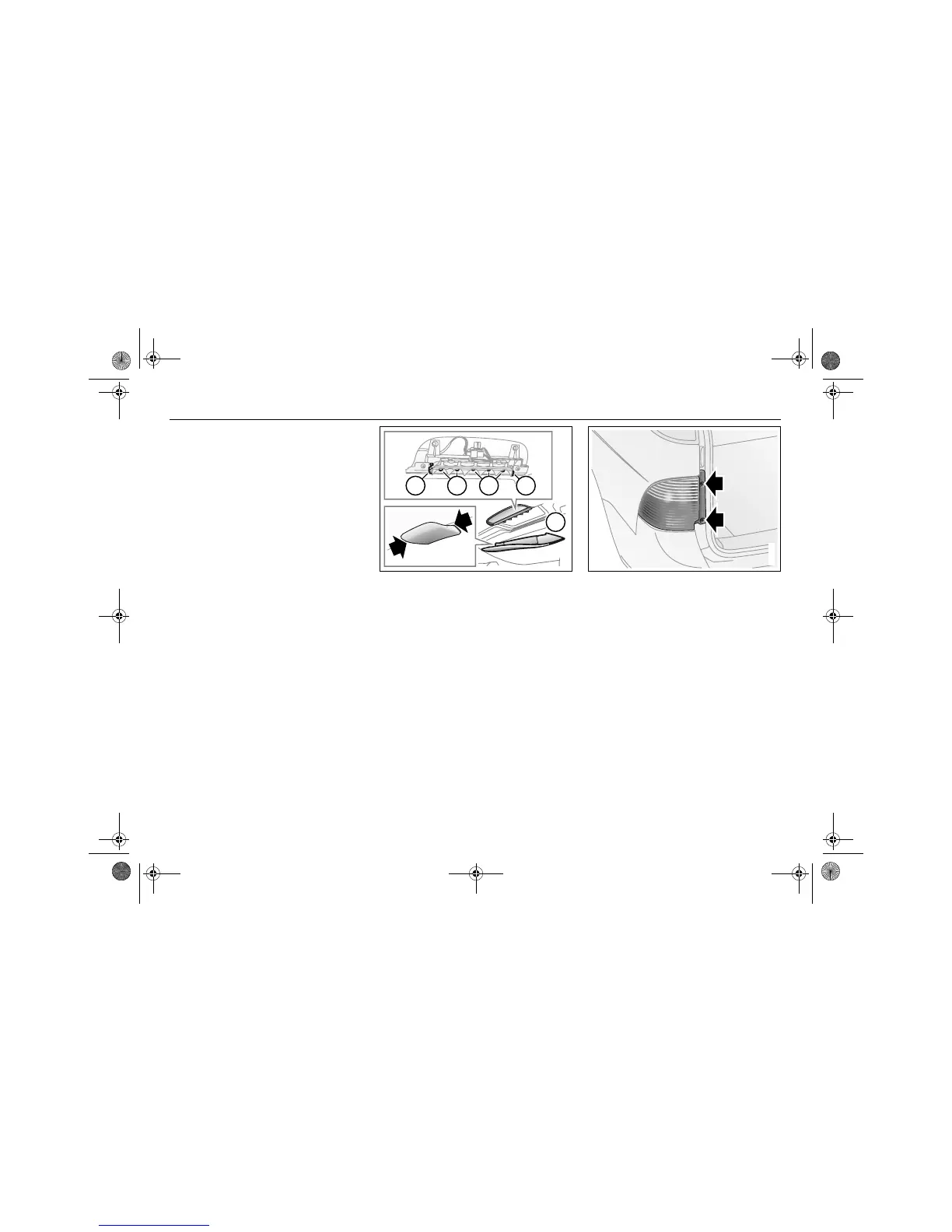
High-mounted stop lights,
9-5 Sedan
The bulbs can be accessed after the panel
in the rear headlining has been removed.
1 Remove the panel by carefully pushing
in the two clips, one at the time.
2 Release the bulb holder, which is
retained by a clip at either end.
3 Withdraw the bulb gently straight back.
4 Push in the new bulb.
5 Refit the bulb holder.
6 Replace the panel by carefully pushing
the panel towards the headlining so that
the two clips engage their respective
slot.
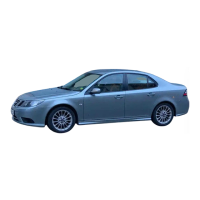
Rear lights clusters,
9-5 SportCombi
1 Open the tailgate.
2 Remove the two screws securing the
light cluster to the body.
32 23
1
IB519
High-mounted stop lights
1 Panel
2 Retaining clips
3 Bulbs
IB3911
95_US_MY09.book Page 208 Tuesday, April 15, 2008 11:03 AM



 To Next Page