34 Compact Disc Autochanger Features and Operation (Optional)
NOTE!
1.
Compressor
function
is
only
applicable in
CD
modes.
2.
The
compressor
"effect"
will
vary
depending
on
the
type
of
recording
you are listening to. Some recordings
will
demonstrate
dramatic
changes
while
others
will
display
little
or
no
change.
Scan
Press
the
Scan (SeN) switch
to
search for your
favorite track. The indicator
light above the
scan
switch will illuminate indicating the player
is
in
• scan mode. This function will play the first ten
seconds of
every
track. When the changer
reaches
the end of the
current
disc
it will
continue
on
to the next available disc.
To
stop
scanning, press the scan
(SeN) switch again.
The indicator
light
will
extinguish.
NOTE!
If
you
drive
over a severe bump the
CD
(player
may
skip,
particularly
at
low
!temperature.
Play
will
resume
at
the
same
point
on
the
disc
automatically.
This skip will
not
damage the disc.
Compact Disc Player Precautions
If
the car
is
parked for a long time in the sun
during
summer
or in a cold location during
winter
the
temperature inside the car will
reach
extre~e
levels.
As
the unit may not function
properly
in
such a case, use it only after the
ambient temperature
has
returned
to
normal.
NOTE!
Should
the temperature in the car reach
an
extreme
level,
hot
or
cold,
the
eD
player will
stop
operating
to
protect
the
laser
diode.
An
out-of-temperature
situation
will
be
indicated
by
the
" III ","Ale","
nn
","TRACK",disc
number
and
trac~mber
indicators
flashing
and
the
"PLAY"
indicator
extinguished.
On
the autochanger,
disc
indicators
1,3,5
and
2,4,6
will
flash
alternately. If
this
happens, allow the
CD
player
to
return
to
normal
temperature
before using.
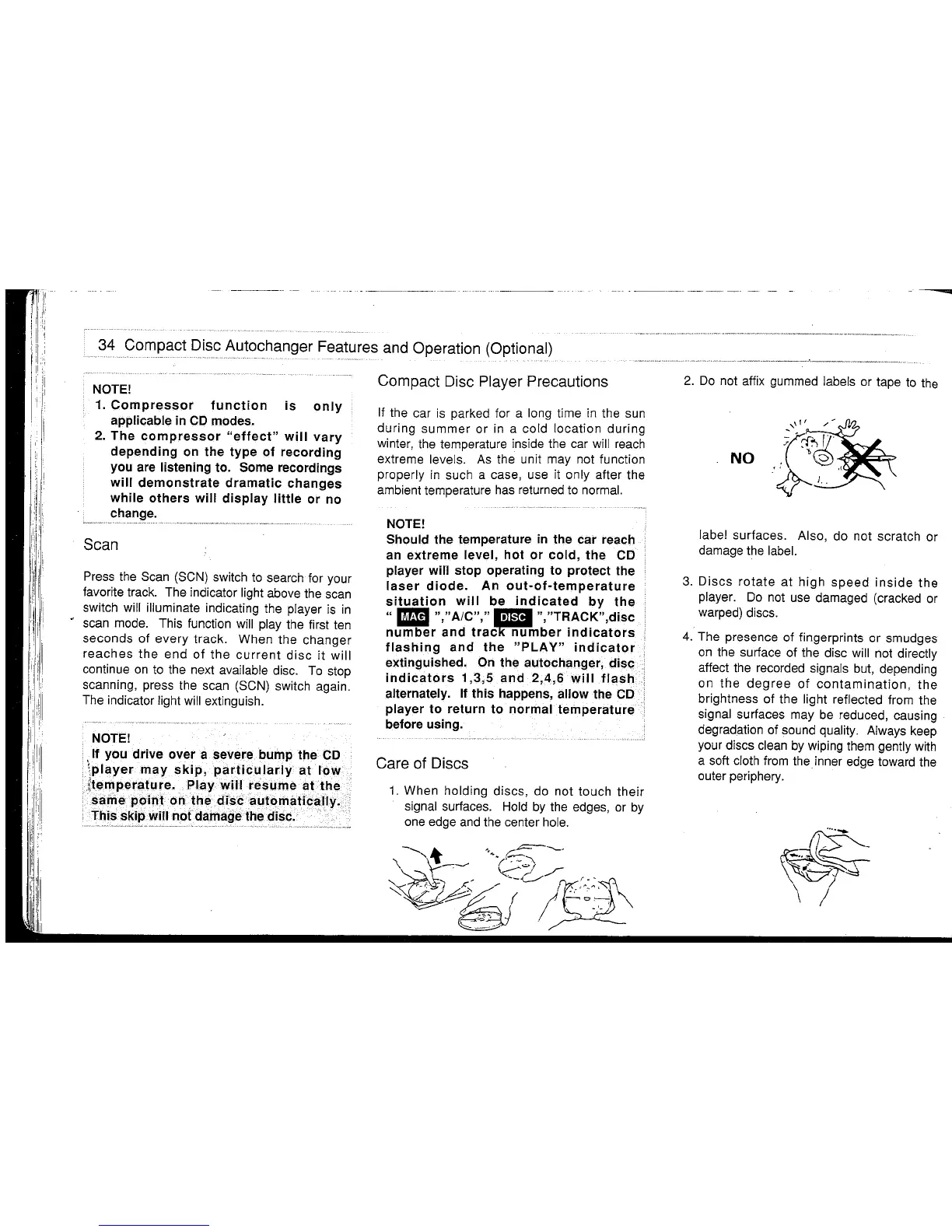
Care of Discs
1.
When holding discs, do not touch their
signal surfaces.
Hold
by
the edges,
or
by
one
edge
and
the center
hole.
-
---
2.
Do
not affix gummed labels or tape
to
the
NO
label surfaces. Also, do not scratch or
damage the label.
3.
Discs
rotate
at high
speed
inside
the
player.
Do
not
use
damaged (cracked or
warped) discs.
4.
The presence of fingerprints or smudges
on
the surface of the disc will not directly
affect the recorded signals
but,
depending
on the
degree
of
contamination,
the
brightness of the light reflected from the
signal surfaces may
be
reduced, causing
degradation of sound
quality. Always keep
your discs clean
by
wiping them gently
with
a soft cloth
from
the inner edge toward the
outer periphery.
~
\ !



 To Next Page