NOTE: the step quantities for the adjustment time of the coding
switch are as follow:
0---1 min: 5 seconds
1---5 min: 10 seconds
5---10 min: 30 seconds
10---30 min: 1 minute
30---95 min: 5 minutes
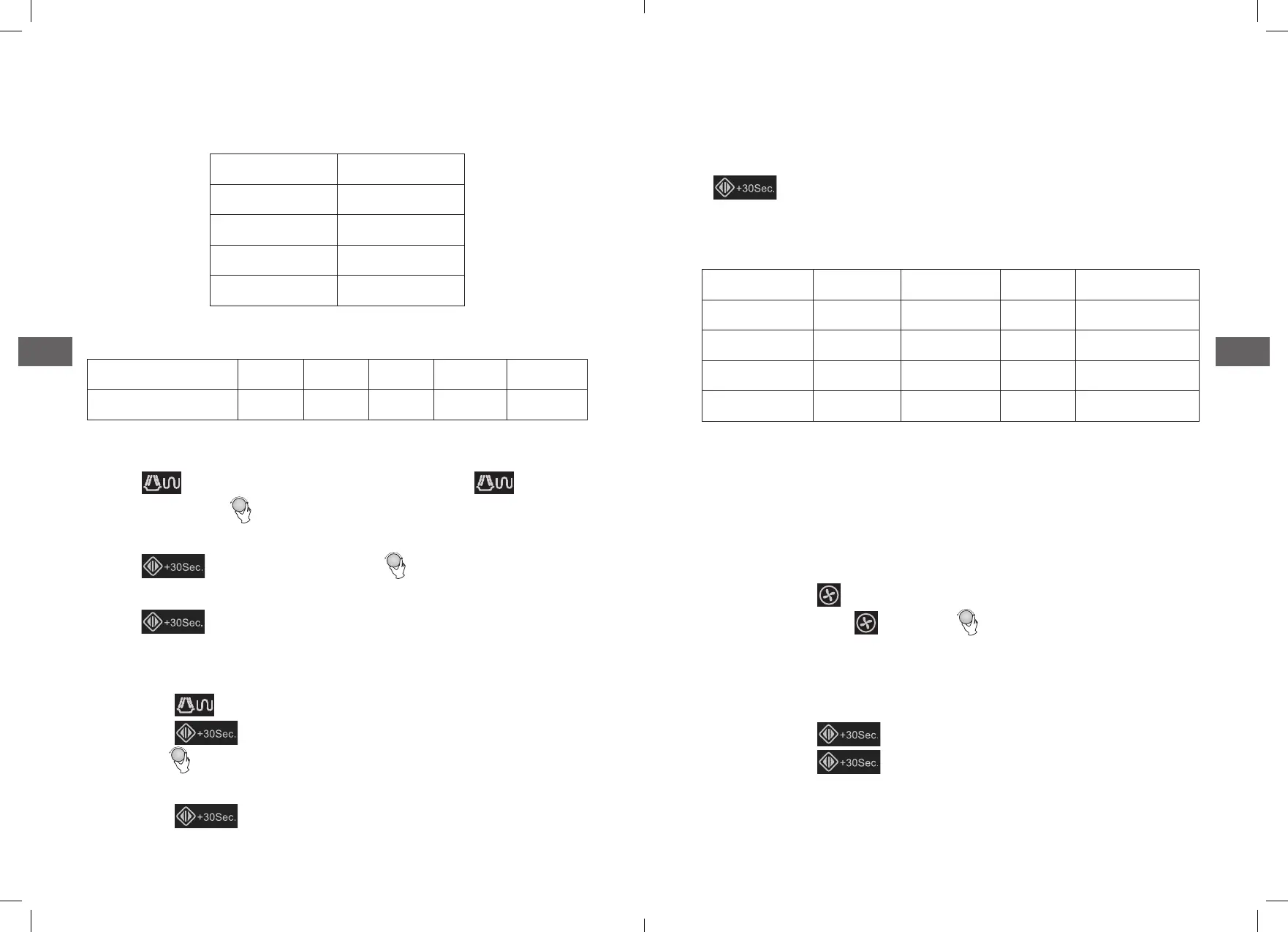
Microwave Power Chart
Press Once Twice Thrice 4 times 5 times
Microwave Power 100% 80% 50% 30% 10%
4. Grill or Combi. Cooking
Press “ ” the LED will display “G-1”,and press “ ” for
times or turn the “ ” to choose the power you want, and “G-1”,
”C-1”, “C-2”, ”C-3” or “C-4” will display for each added press� Then
press “ ” to conrm, and turn “ ” to set cooking time
from 0:05 to 95:00�
Press “ ” again to start cooking�
Example: If you want to use grill power to cook for 10 minutes,
you can operate the oven as the following steps�
1)� Press “ ” once, the screen display “G-1”�
2)� Press “ ” to conrm�
3)� Turn “ ” to adjust the cooking time until the oven displays
“10:00”�
4)� Press “ ” to start cooking�
Note: If half the grill time passes, the oven sounds twice, and
this is normal� In order to have a better eect of grilling food,
you should turn the food over, close the door, and then press
“ ” to continue cooking� If no operation, theoven will
continue working�
Note: Combination instructions
Instructions Display Microwave Grill Convection
1 C-1 * *
2 C-2 * *
3 C-3 * *
4 C-4 * * *
5. Convection Cooking (With preheating function)
The convection cooking can let you to cook the food as a tradi-
tional oven� Microwave is not used� It is recommended that you
should preheat the oven to the appropriate temperature before
placing the food in the oven�
1)� Press the “ ” key once, “140” ash�
2)� Keep pressing “ ” or turn “ ” to select the convection
temperature�
Note: the temperature can be chosen from 140 degrees to
230 degrees�
3)� Press the “ ” to conrm the temperature�
4)� Press the “ ” to start preheating� When the preheat-
ing temperature arrives, the buzzer will sound twice to
remind you to put the food into the oven� Andthe preheated
temperature is displayed and ash�
4948



 To Next Page