
 Need help?
Do you have a question about the Sabre SPS-14-BK and is the answer not in the manual?
Guidance on carrying, deploying during threats, proper positioning, and canister replacement.
Instructions for handling skin or eye contact, including flushing and seeking medical attention.
Steps for preparing to spray, including removing the spacer and aiming.
Instructions on how to deploy the spray, target areas, and escape safely.
Detailed steps for removing the old canister and installing a new one.
Guide to creating a user profile, setting up OTP verification, and creating a PIN code.
Instructions to add and verify trusted contacts for emergency alerts.
Step-by-step guide to pair the device with the SABRE App via Bluetooth.
Details on how alerts are triggered and sent to the SABRE App and trusted contacts.
Instructions on how to cancel alerts using a Security PIN or marking 'False Alarm' or 'I Am Safe'.
Details on how the SABRE App alerts local police, ambulance, and fire departments via Noonlight.
Instructions for resetting a forgotten password via phone number and OTP verification.
Highlights the necessity of adding and verifying at least one contact for emergency alerts.
Ensures Alert Settings and Location Services are enabled for alerts to be sent.
Requires allowing app location access for services like tracking and emergency alerts.
Mandates cellular connection and Bluetooth connection for service functionality.
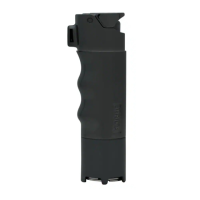
The SABRE SPS-14-BK Smart Pepper Spray is a personal safety device designed for self-defense, integrating pepper spray with smart features through a companion mobile application. This user manual provides comprehensive instructions for its setup, operation, and maintenance, ensuring users can effectively utilize its capabilities for personal protection and emergency alerting.
The primary function of the SABRE SPS-14-BK is to provide a means of self-defense through the deployment of pepper spray. When activated, it releases a powerful stream of Oleoresin Capsicum (Red Pepper), designed to incapacitate an attacker by causing involuntary eye closure, difficulty breathing, facial burning, and psychological symptoms such as fear, anxiety, and panic. The device is intended for self-defense only, and its use for any other purpose is a crime.
Beyond its physical deterrent capabilities, the "Smart" aspect of the SPS-14-BK lies in its integration with the SABRE App via Bluetooth. This connectivity allows the device to trigger emergency alerts to a pre-selected "Circle of Trust" and, with a premium subscription, to local first responders (police, ambulance, fire department) when the pepper spray is deployed. This dual functionality ensures that not only is the immediate threat addressed, but help is also summoned, and the user's location is shared for assistance. The app also allows for manual alerts if the device is not connected or available.
The SABRE SPS-14-BK is designed for ease of use in high-stress situations. It comes with a practice canister to allow users to familiarize themselves with the product and its spray pattern before needing it in an actual emergency. The device is meant to be carried at all times, ready for deployment when one's safety is in jeopardy or under attack.
To operate the pepper spray, users must first ensure the red Spacer, which prevents misfiring, is removed. The device is designed to be used in an upright position. Once the Spacer is removed, the user slides their thumb under the protective cover onto the actuator button, aims at the target (preferably ear to ear across the eyes, then nose and mouth), and presses down to deploy the spray. A stream of pepper spray will reach up to 10 feet (3 meters). Users are advised to shield their face when firing into the wind and to release pressure to stop firing, then sidestep and escape to safety, alerting the police immediately without attempting to capture the attacker.
The smart features are accessed through the SABRE App. Users must create an account, set up a profile with personal information important for emergency responders, and establish a "Circle of Trust" by adding and verifying contacts who will receive alerts. The app allows for OTP verification for account setup and requires a security PIN code for quick authorization and to cancel alerts.
Pairing the device with the SABRE App is straightforward: keep the Bluetooth device within 3 feet (1 meter), press the pair button on the bottom of the Smart Pepper Spray (which will flash green), and select "Pair" on the app. Once paired, the device is ready to send alerts. When the pepper spray is deployed, an alert is triggered via Bluetooth to the app, which then sends SMS emergency alert texts with the user's geo-location to the verified Trusted Contacts. This location sharing continues until the user cancels the alert by entering their security PIN in the app, choosing "False Alarm" (if accidentally used) or "I Am Safe" (if no longer in danger).
For enhanced protection, a premium option is available through a monthly subscription to Noonlight. This service integrates with local police, ambulance, and fire departments, dispatching first responders to the user's location if an alert is initiated and the user does not respond to text/phone calls from Noonlight dispatchers.
The app also includes settings for managing alert preferences, changing passwords and PIN codes, and accessing information and disclaimers. Users can toggle alert settings to designate who receives alerts in an emergency.
Proper maintenance ensures the SABRE SPS-14-BK remains functional and ready for use. Key maintenance aspects include canister replacement, battery charging, and regular inspection.
The pepper spray canister is replaceable. The manual recommends unpairing the device from the SABRE App before replacing the canister to avoid accidental alerts. Canister replacement should be done in a well-ventilated area with the spray pointing away from the user. Crucially, the red Spacer must be installed before loading or unloading a canister to prevent misfiring. To replace, unscrew the base of the device, remove the used canister, insert a new one (valve tip first), and re-attach the base, screwing it clockwise until tight. The device automatically connects to the actuator once the new canister is in place. After replacement, it's recommended to test fire the product (using a practice canister) in a well-ventilated area before pairing with the app to ensure proper loading and avoid false alerts. Users should always inspect the expiration date on the canister and never use an expired product.
The device is rechargeable, and its battery status is indicated by an LED light on the handle. A green light signifies a battery charge of at least 30%, yellow indicates 11-29%, and red indicates 10% or less, requiring immediate charging. The device comes with a USB charging cable. To charge, insert the micro USB end into the underside of the base and connect the standard USB side to a computer or other USB charging source. Both the device and the mobile phone batteries must be properly charged and maintained for the SABRE App features to function.
Regular inspection of the expiration date on the canister is vital. The manual also advises that the SABRE App software should always be up to date to ensure optimal operation. Users are responsible for ensuring their mobile device has adequate software, internet access, and Bluetooth technology, and that their mobile device and the SABRE Smart Pepper Spray's Bluetooth beacons are functioning properly and paired. The app must be open and running on the mobile device for the Bluetooth beacon to connect.
In case of skin or eye contact with the pepper spray, immediate first aid is crucial. For skin contact, remove contaminated clothing and flush the skin with soap and cold water for 15-20 minutes, repeating as necessary. Do not rub or use creams, salves, or oils, and consult a physician if irritation persists. For eye contact, carefully remove and discard contact lenses, flush eyes with cold water for 15 minutes, and seek prompt medical attention.
The product is subject to a 1-year limited warranty from the date of purchase, covering manufacturing defects. The warranty does not cover products that have been abused, altered, or damaged. Users are advised to read and follow all enclosed instructions before using the device.
 General
| Type | Personal Safety Alarm |
|---|---|
| Sound Level | 130 dB |
| Power Source | Battery |
| Weight | 0.16 lbs |
| Material | Plastic |
| Color | Black |

 To Next Page