6 7
Operation instructions for use after rst pairing:
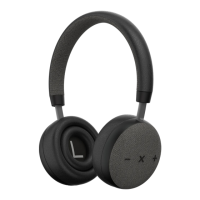
• After rst time pairing your TOUCHit headphones and
• Bluetooth device will automatically reconnect
• Turn the headphones on by holding down the X button until you
hear the ON sound
• Long press X button to turn off TOUCHit
The LED light will blink blue once TOUCHit is successfully paired.
Notes: If the pairing is not successful, please turn the headphone off and
back on and retry pairing.
Making calls with TOUCHit
Functions Status of
headphone
Operation
Redial Last
number
Standby mode Short press X button
twice quickly
Volume up Conversation mode Short press Volume +
button
Volume down Conversation mode Short press Volume -
button
Answering calling Ringing Short press X button
End call Conversation mode Short press X button
Reject calling Ringing Press and hold X button
for one second, and
release until you hear
indication sound
Transfer the
calling between
headset and
Bluetooth devices
Conversation mode Press and hold the X
button for 3 seconds
can transfer the
conversation from
headset to mobile
phone. Then press and
hold the X button for
3 seconds to transfer
the conversation back
from mobile phone to
headphone.



 To Next Page