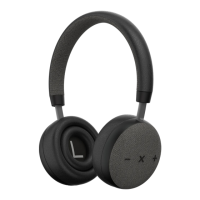
8 9
Notes:
Not all the mobile phones support all the functions listed above. Please
refer to the instruction of your mobile phone.
Some functions and indication tones may vary with mobile phones
Playing Music
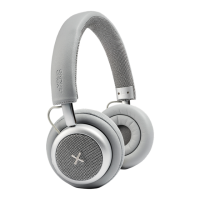
When TOUCHit connects with the mobile phone or Bluetooth trans-
mitter, you can enjoy music through headphone wirelessly.
Function Status of headset Operation
Pause Playing music Short Press X button
Play Pausing Short Press X button
Next track Playing music Short press volume+
button
Previous track Playing music Short press volume–
button
Volume + Playing music Long press volume+
button
Volume - Playing music Long press volume –
button
Notes:
• For some mobile phones, the music will transmit to the speaker
of mobile phone instead of the headphone, If that is the case, you
have to choose TRANSMIT THE SOUND THROUGH BLUETOOTH
in the SETTINGS of the music play interface on your mobile phone
and then choose model name in the device list, so the music will be
transmitted to the headphone. Please refer to the instruction of your
mobile phone for further information.
• In order to use the on-headphone controls, your mobile phone or
Bluetooth transmitter must support AVRCP


 To Next Page