15
ENGLISH
15
Green
7
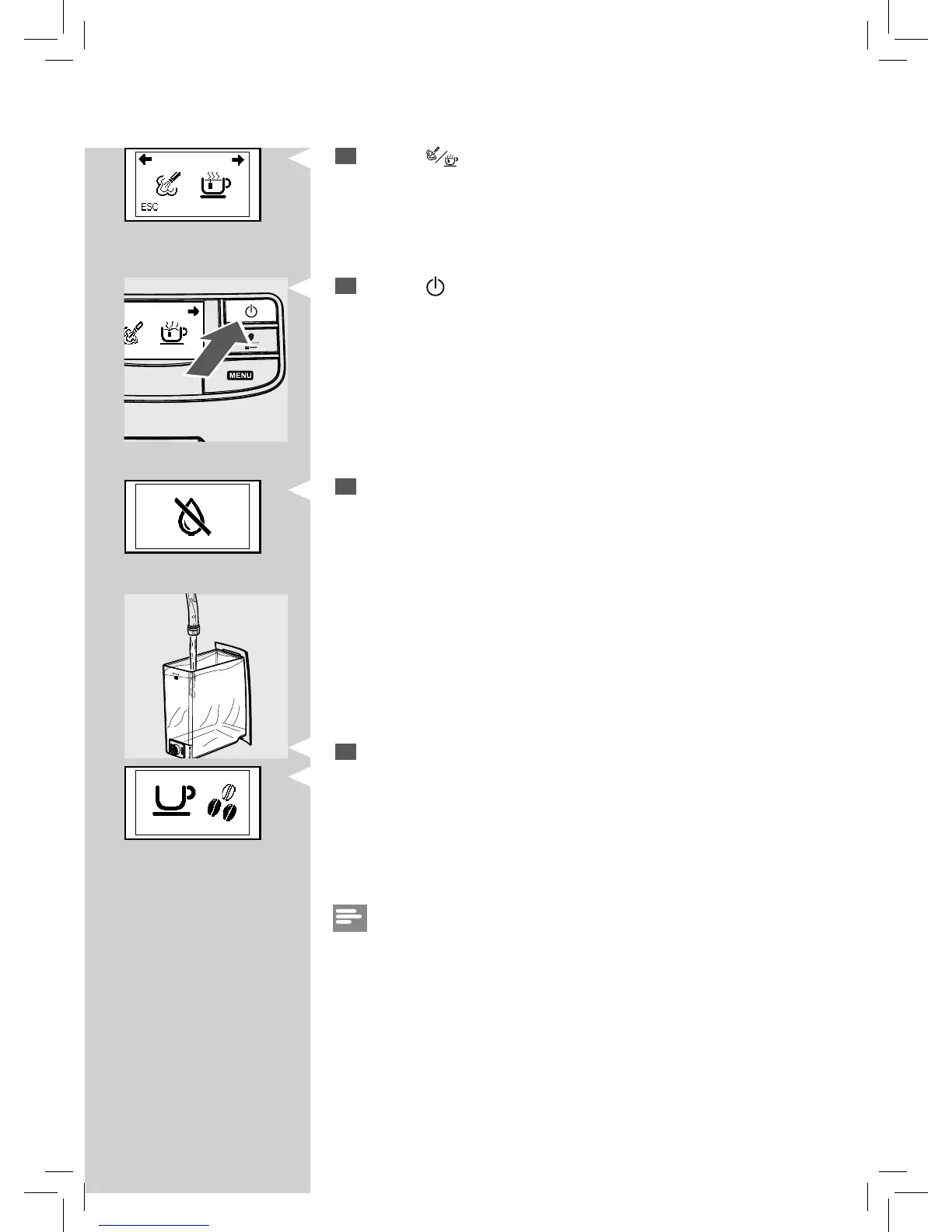
Press the “ ” button. The following icon is displayed.
GreenRed
8
Press the “ ” button to start dispensing hot water.
9
Dispense water until the no water icon appears.
10
At the end, ll the water tank again up to the MAX level. Now the ma-
chine is ready for co ee brewing.
The display to the left will be shown.
Note:
When you haven’t used the machine for 2 or more weeks, the machine
will automatically perform an automatic rinse/self-cleaning cycle after you
switch it on. Following this, you need to initiate a manual rinse cycle as
described above.
The automatic rinse/self-cleaning cycle starts automatically when the ma-
chine has been in stand-by mode or turned o for more than 15 minutes.
At the end of the cycle, it is possible to brew a co ee.






 To Next Page