29
ENGLISH
29
2
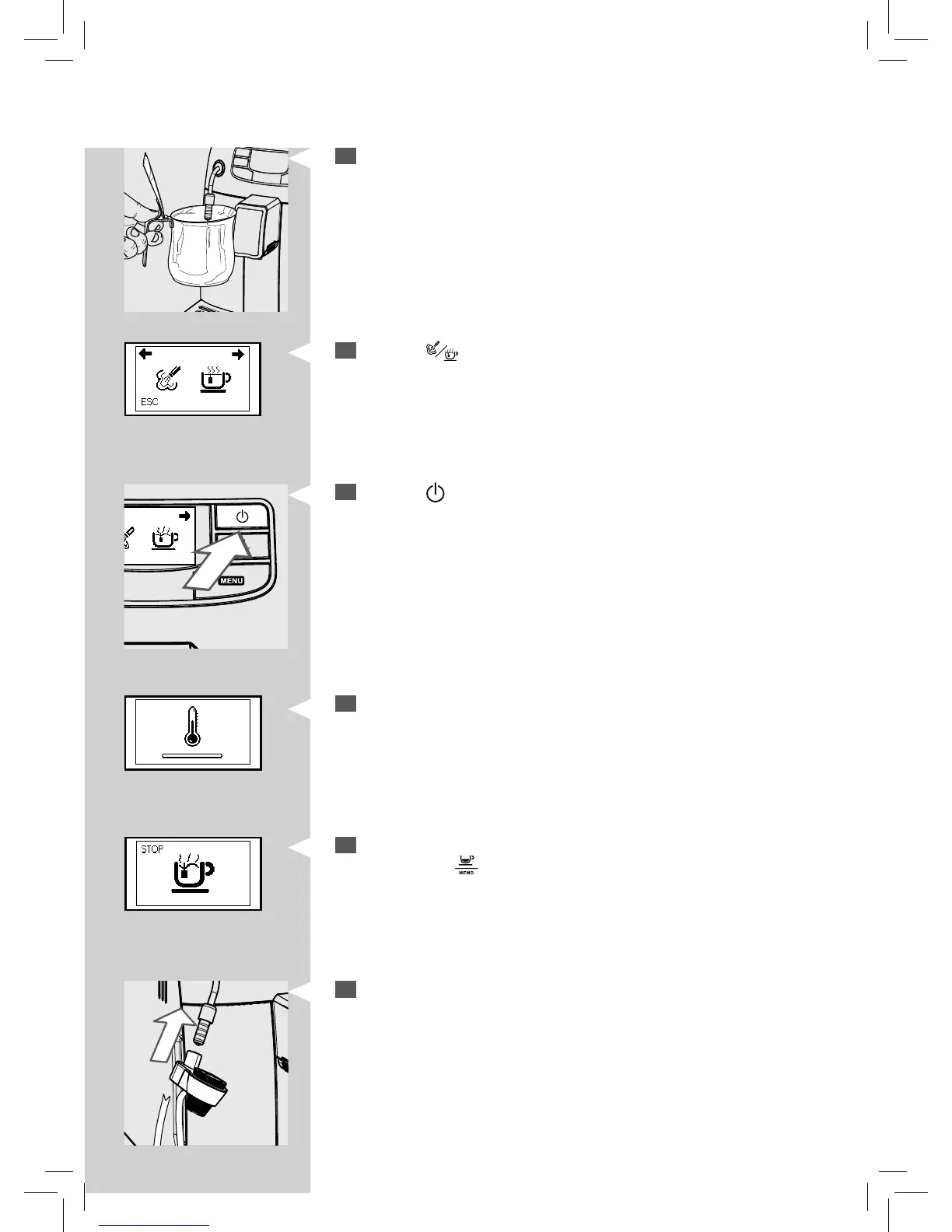
Place a container under the steam wand.
3
Press the “ ” button. The following icon is displayed.
Green
Green Yellow
4
Press the “ ” button to start dispensing hot water.
5
This icon is displayed during preheating time required by the machine.
6
Pour the desired amount of hot water. To stop the hot water dispens-
ing, press the “
” button.
7
Insert the Automatic Milk Frother until it locks in place in the steam
wand seat.






 To Next Page