English
22
6
6DESCRIPTION OF CONTROLS
6
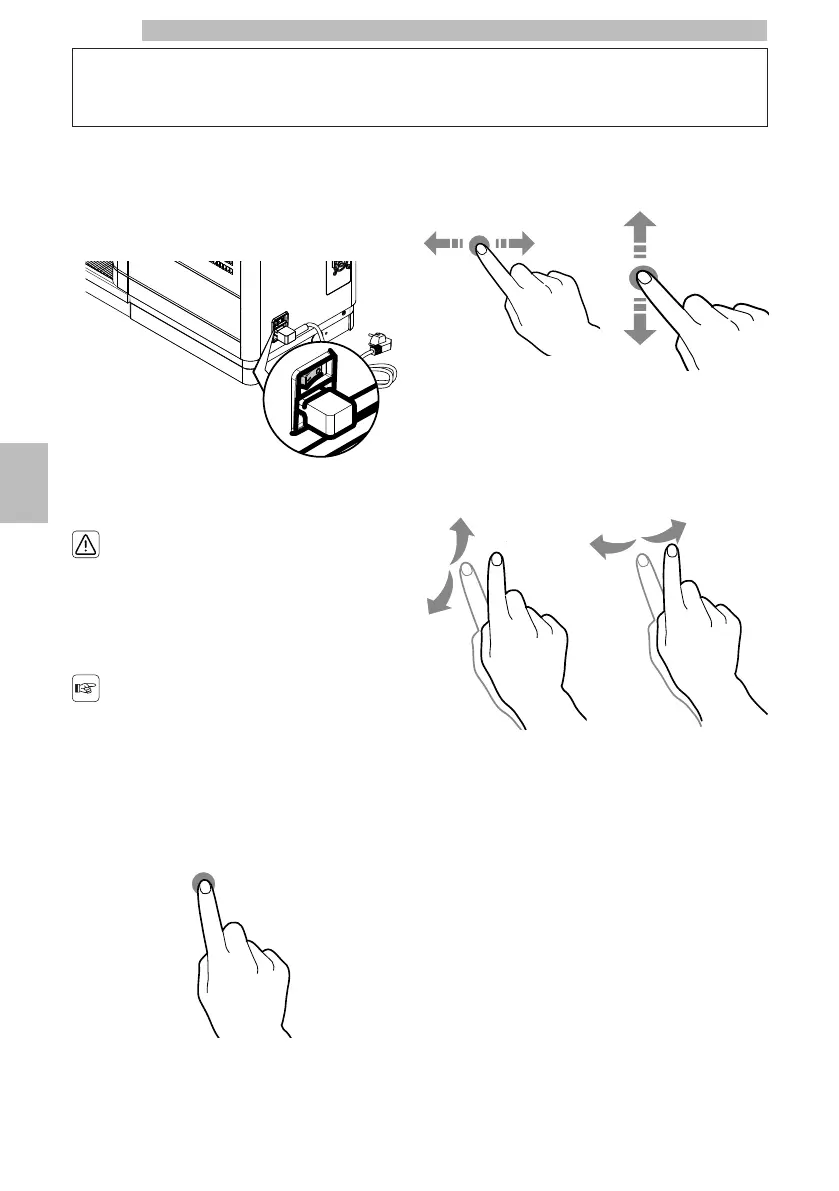
6.1Power button
6
Itislocatedintherearofthemachine.Ifsettothe"I"
positionthemachineturnson(electricalfunctions
enabled).Ifsettothe"O"positionthemachineturns
off (electrical functions disabled).
666
6.2Touch Screen Control Panel
6
Onlyusefingerstointeract
withthetouchscreen;do
not use sharp objects.
6
Usinghigh-qualitycontent
willaffectthegeneral
performance.
66
Tap
6
Tapicons,functionsandobjectstoactivateoropen
context menus.
666666
Move
and
drag
6
To move and drag icons and objects, tap and drag them
to a new location.
666666
Scroll
6
Slideyourfingertotheright,left,upordownonthe
touchscreentoscrollthroughthevalues,screensand
functions.
66666










 To Next Page