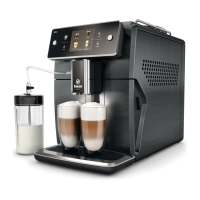
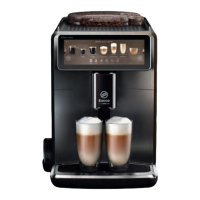
The Saeco Xelsis Suprema and Xelsis Deluxe (models SM8885, SM8889, SM8780, SM8782, SM8785) are fully automatic espresso machines designed to enhance your coffee experience with advanced features and connectivity.
Function Description:
These espresso machines offer a wide range of functionalities to cater to individual preferences. The control panel, though visually different between the Suprema and Deluxe models, operates with the same intuitive icons for ease of use. Key functions include:
- BeanMaestro: This feature allows you to select the type and roast level of your coffee beans. The machine then automatically optimizes brewing settings to extract the best possible flavor from your chosen beans.
- CoffeeEqualizer Touch+: After selecting a drink, this function automatically activates, enabling you to customize various settings such as aroma strength, coffee quantity, milk quantity, water quantity, drink temperature, foam amount, coffee flavor, and even the option to prepare one or two cups. You can also specify the order of coffee or milk dispensing.
- ExtraShot: For those who prefer a stronger coffee, this function allows you to add an extra shot of Ristretto to your coffee or milk-based drinks. Note that when ExtraShot is selected, only one coffee can be brewed at a time, and this function is not available for all drinks.
- HygieSteam: This automatic cleaning function thoroughly cleans the milk system with steam, removing microorganisms. It is recommended to use it after preparing cappuccinos or other milk-based drinks. The machine also performs an automatic "HygieSteam Shot" immediately after milk dispensing for quick rinsing.
- Personal Profiles: The machine enables you to save customized drink settings to personal profiles, allowing you to select your preferred icon and profile name for quick access to your favorite recipes.
- Wi-Fi Connectivity: The machines can connect to your 2.4 GHz 802.11 b/g/n home Wi-Fi network, offering personalized recommendations based on machine learning, regular software updates, access to a shop functionality (if available), linking to an Amazon account for accessory replenishment, and voice control via Alexa home devices (if available). The machine performs an automatic rinsing cycle when switched on/off via voice control or after a period of inactivity.
Important Technical Specifications:
- Dimensions (W x H x D): 287 x 396 x 487 mm
- Weight: 11 – 12.4 kg
- Power Cord Length: 1200 mm
- Water Tank Capacity: 1.7 liters (removable)
- Bean Hopper Capacity: 450 g
- Coffee Grounds Container Capacity: 15 pucks
- Milk Container Capacity: 600 ml
- Height-Adjustable Spout: 75-148 mm
- Wi-Fi Frequency Band: 2.4 GHz 802.11 b/g/n
- Maximum Transmitting Power: <100 mW (20 dBm)
- Grinder: 100% ceramic with 12 grind settings.
Usage Features:
- Switching On: For Xelsis Suprema (SM8885, SM8889) and Xelsis Deluxe (SM8780, SM8782, SM8785) models, switch on by pressing the main switch at the back. Tap the 'on' icon on the control panel and follow the on-screen instructions. It is recommended to connect and update the machine during the first installation.
- Brewing Drinks: Fill the water tank and bean hopper. Place one or two cups under the adjustable spout. Select your desired drink from the "Drinks" menu. Adjust settings using the adjustable bars. Press the start/stop icon to begin brewing. Avoid using caramelized or flavored coffee beans.
- Brewing Milk-Based Drinks: Use cold milk directly from the fridge for optimal results. The machine dispenses milk and coffee in a specific order depending on the drink. You can stop milk dispensing or the entire drink preparation at any time.
- Brewing with Pre-Ground Coffee: Open the pre-ground coffee compartment, add one measuring spoon of pre-ground coffee, and close the lid. Select your drink and then the pre-ground coffee icon. Note that coffee strength cannot be adjusted, and only one drink can be brewed at a time when using pre-ground coffee.
- Dispensing Hot Water: Ensure the internal cappuccinatore is correctly attached. Place a cup under the spout, select "Hot Water," adjust quantity/temperature, and press start/stop.
- Adjusting Grind Setting: The grind setting knob inside the bean hopper allows for 12 different settings. Finer grind results in stronger coffee. It's advised not to adjust the grind setting until 100-150 cups have been brewed to fully appreciate the difference. Adjust in small steps to prevent damage.
- Restoring Factory Settings: The machine can be reset to default settings at any time via the "Settings" menu.
Maintenance Features:
The machine provides timely notifications for cleaning and maintenance. Regular cleaning ensures optimal performance and consistent coffee quality.
- AquaClean Water Filter: The machine is AquaClean enabled, reducing the need for frequent descaling. The filter status is always visible in the "Status" menu. A new filter must be activated after installation. Replace the filter at least every 3 months.
- Brew Group: Clean weekly under the tap. Lubricate every 2 months with the supplied grease. The machine also offers a monthly "Coffee Oil Removal" self-cleaning process.
- Milk System/Internal Cappuccinatore: Clean daily after use with the "HygieSteam" self-cleaning process. Disassemble and rinse all parts weekly under the tap with washing-up liquid. A monthly "Deep Milk Clean" program is also available using Philips milk circuit cleaner.
- Pre-Ground Coffee Compartment: Check weekly for blockages.
- Coffee Grounds Container: Empty when prompted by the machine and clean weekly.
- Drip Tray: Empty daily or when the "drip tray full" indicator appears, and clean weekly.
- Water Tank: Rinse weekly under the tap.
- Machine Front: Clean weekly with a non-abrasive cloth.
- Descaling: Perform descaling when prompted by the machine, using only Philips descaler. The process takes approximately 30 minutes and includes a descaling and rinsing cycle. If interrupted, follow specific steps to ensure proper cleaning.
The machine is a networked equipment compliant with EU Regulation No 801/2013 and is designed for permanent connection to a 2.4 GHz 802.11 b/g/n network.

 Need help?
 General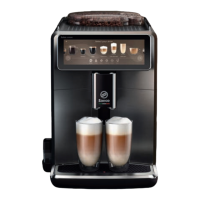




 To Next Page