24
In Reading Mode
PWR Press once to change into Testing Mode. Press and hold to power off
the DHD-1.
SAVE No function in Reading Mode.
HAND Selects which hand to display saved test results
READ Press repeatedly to display individual test results in descending order for
the selected hand.
SET Displays the DATE and TIME of each individually saved test result, or
the AVG, SD and CV based on the total number of test results for the
selected hand.
ZERO Press once to erase an individually displayed Test Number and test result.
Press and hold to erase all saved Test Numbers and test results.
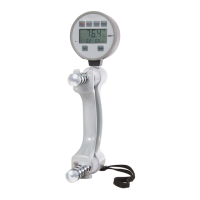
DHD-1 Digital Hand Dynamometer – Button Functions


 To Next Page
 Loading...