23
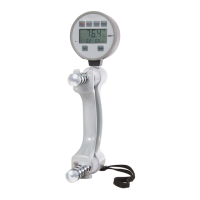
DHD-1 Button Functions
In Setting Mode
PWR Changes into Testing Mode.
SAVE Saves the DATE and TIME, and then returns to Testing Mode.
HAND Advances to the next date and time value to be set indicated by the fl ashing
number for mm.dd, yyyy, and hh:mm.
READ Increases the value to be set for mm.dd, yyyy, and hh:mm
SET Press and hold for setting Month and Day (mm.dd). Then press once to
advance to the next setting for Year (yyyy), and once again to advance
to setting the Time (hh:mm).
ZERO No function in Setting Mode.
In Testing Mode
PWR Press and hold to power off the DHD-1.
SAVE Saves the current test result in the next Test Number.
HAND Selects the hand to be tested.
READ Changes DHD-1 into Reading Mode.
SET Press once to switch the unit of measure from lb to kg or from kg to lb.
Press and hold to change into Setting Mode.
ZERO Press once to erase the current test result displayed. Press and hold to
calibrate the device and display 0.0.
DHD-1 Digital Hand Dynamometer – Button Functions


 To Next Page
 Loading...