26
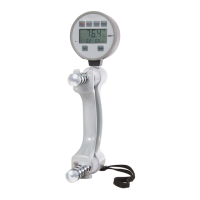
DHD-1 Digital Hand Dynamometer – DTS Installation and Usage
Data Transfer Software (DTS)
Once installed, DTS can be used to transfer saved test results to a PC whenever
the DHD-1 is connected using the USB cable. This simple program creates text
(.t xt) fi les which can be easily accessed using any text editor such as Notepad,
MS-Word, etc., for editing and printing.
Installation
Step 1: Download the current version of DTS
The current version of DTS can be obtained from www.
saehanmedical.com. Under the “Customer Support” tab, click on
“Dataroom” and select DHD-1 DTS [SH1001] ("DHD-1 DTS (v1.0).
zip" fi le). Click “Save” to download the compressed (zipped) fi le.
Step 2: Automatic installation of the USB Virtual COM Port
driver for Windows7 and Windows Vista (for Windows
XP, see Note: Manual installation of the USB Virtual
COM port driver below)
Connect the DHD-1 to a PC using the USB cable, then press the
PWR button to turn on the device. Microsoft Windows® should
automatically detect a new hardware device and install the USB
Virtual COM Port software. If the driver cannot automatically be
found, click “Cancel”, disconnect the USB cable, and then follow the
instructions below in Note: Manual installation of the USB Virtual
COM port driver
Note: Manual installation of the USB Virtual COM port driver


 To Next Page
 Loading...