27
DHD-1 Digital Hand Dynamometer – DTS Installation and Usage
a. The USB Virtual COM port driver can be obtained from www.
saehanmedical.com. Under the “Customer Support” tab, click
on “Dataroom” and select DHD-1 DTS [SH1001] ("VCP v1.3.1
zip"fi le). Click “Save” to download the fi le.
b. Double-click on the compressed file and run VCP_V1.3.1_Setup
(VCP_V1.3.1_Setup_x64). The setup program will install the
USB Virtual COM Port software and provide instructions when to
connect the DHD-1 using the USB cable.
Step 3: Identify the COM Port number assigned by the Virtual
COM port driver
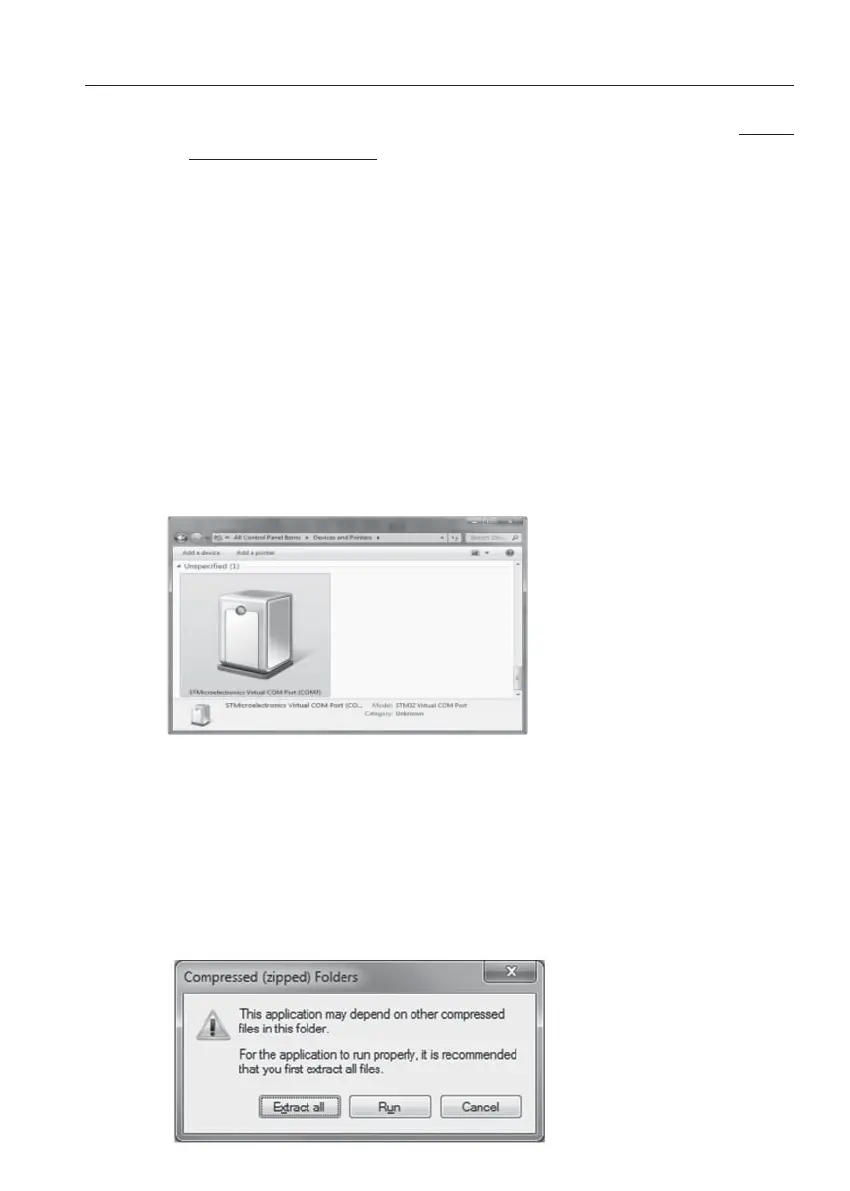
The COM port number will be uniquely assigned to your PC. Make
note of the COM Port number during installation, or go to Control
Panel → Devices and Printers to identify which COM Port number
was assigned.
Step 4: DTS Program Installation
Double-click on the compressed fi le downloaded in Step 1. This will
create a new folder with the DHD-1 V1.x compressed application fi le
and other fi les. Double-click on the DHD-1 V1.x application fi le, then
click Extract all and choose the folder to install the DTS program.
This will also be the default folder where the transferred test results
will be saved as text fi les.


 To Next Page
 Loading...