28
DHD-1 Digital Hand Dynamometer – DTS Installation and Usage
Using DTS to Transfer Saved Test Results From
the DHD-1
Step 1: Run the DTS program
Go to the DTS folder and click on the DTS program file
DHD-1
V1.0
to start the program. Optionally, you may want to create a Desktop
shortcut.
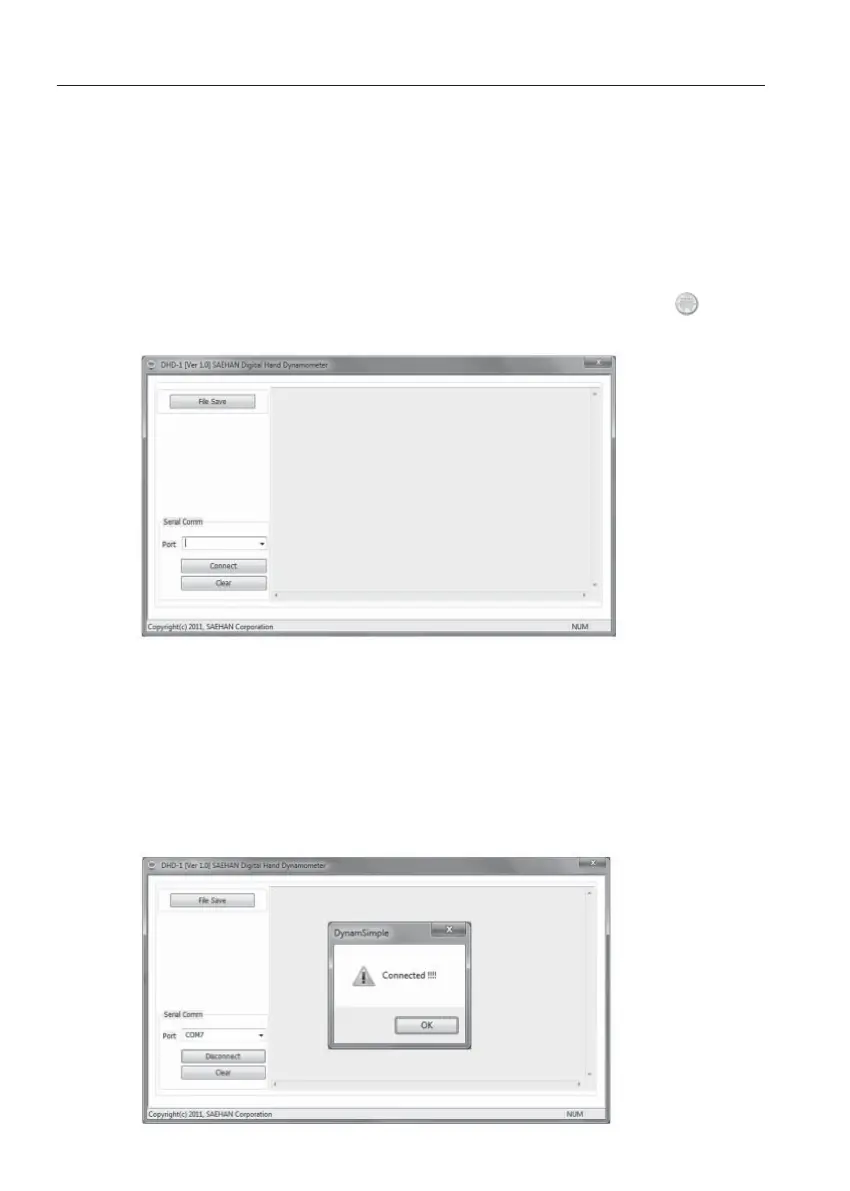
Step 2: Establish a connection with the DHD-1
Connect the DHD-1 to the PC using the USB cable and press the
PWR button to turn on the device. Select the COM Port number that
was assigned during installation of the USB Virtual Com Port driver,
click Connect, and then click OK. DTS is now ready to transfer saved
test results from the DHD-1.


 To Next Page
 Loading...