29
DHD-1 Digital Hand Dynamometer – DTS Installation and Usage
Step 3: Transferring saved test results from the DHD-1
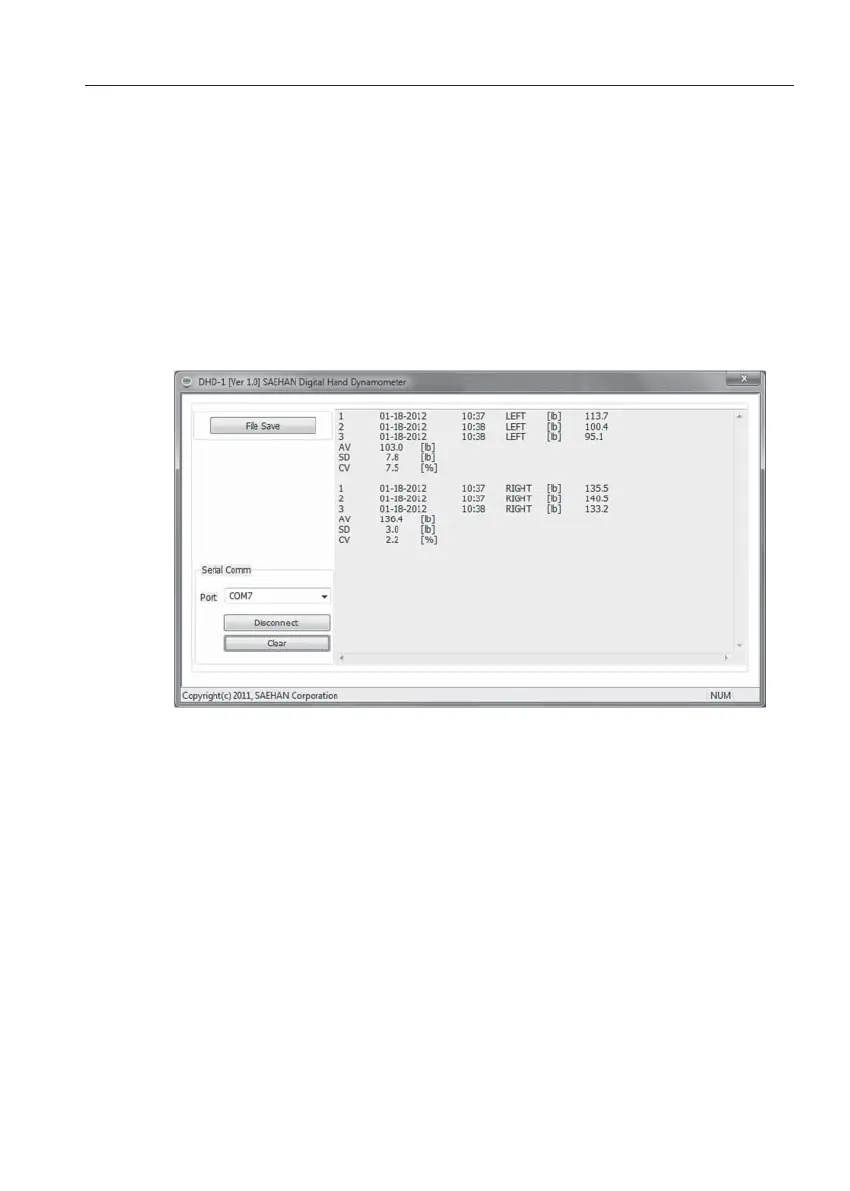
In Reading Mode, press and hold the READ button. After two
beeps, the saved tests results will be displayed. Press File Save to
save the transferred test results as a text (.txt) file. Press Clear to
erase displayed test results. Press Disconnect to disconnect DTS
communication with the DHD-1. Click on X in the upper right corner
to close the DTS program.
Note: Although the unit of measure (lb or kg) can be set and saved individually
for each hand and Test Number during testing, all transferred test
results will be displayed in the unit of measure based on the current unit
of measure setting.


 To Next Page
 Loading...