30
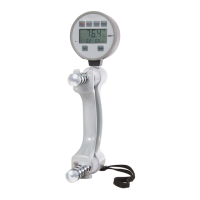
DHD-1 Digital Hand Dynamometer – Problems and Symptoms
Problems and Symptoms
When “0.0” is not displayed on the LCD after pressing the
“PWR” button
• If any value other than 0.0 is displayed, press and hold the ZERO button to
calibrate the DHD-1
• If unable to calibrate to 0.0 using the ZERO button, contact your supplier or
Saehan for technical support as the load cell may be damaged.
When 3-digit numbers are abnormally displayed
• Contact your supplier or Saehan for technical support as there may be a
calibration error or the load cell may be damaged.
When “Lobt” and “ ” are displayed on the LCD
• Charge immediately. Otherwise, the buttons will not function properly.
When the battery level indicator is not displayed on the LCD
• When connected to the PC using the USB cable, the battery level indicator
is not displayed. The battery level indicator only appears on the screen when
operated using the charged battery for power.
When three beeps are heard when pressing a button
• This indicates the button is not functional during the mode of operation. See
the Button Functions section in the user manual in the user manual.


 To Next Page
 Loading...