EasyManua.ls Logo

Safety Technology International STI-3360 User Manual

Default Icon
2 pages
To Next Page IconTo Next Page
Page #1 background imageLoading...
Page #1 background image
Wireless Entry Alert
®
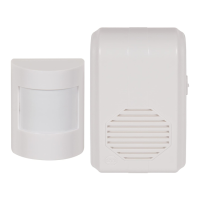
Chime STI-3360
Quick Start Guide
PAIRING - Step 1
Guía para Comienzo Rápido / Carillón Inalámbrico de Aviso de Ingreso
EMPAREJAMIENTO - Paso 1
Guide de démarrage rapide / Carillon Wireless Entry Alert®
JUMELAGE - 1ère étape
2
3
4
1
Slide back cover off
and install battery.
Deslice la tapa e
inserte la batería.
Faites glisser le couvercle
et installez la batterie.
CLÉ
Branchez dans une
prise 120V AC
Toutes les actions sont complètes
lorsque suivi d’un bip
Appuyez sur le
bouton et relâchez
Plug into
120 VAC outlet
All actions are complete
when followed by a beep
Press and
release button
KEY
CLAVE
Enchufe a una
tomacorriente de 120VAC
Todas las acciones están completas
después de escuchar un sonido
Oprima y suelte
el botón
Question and Answer IconNeed help?

Do you have a question about the Safety Technology International STI-3360 and is the answer not in the manual?

Safety Technology International STI-3360 Specifications

General IconGeneral
BrandSafety Technology International
ModelSTI-3360
CategoryAccessories
LanguageEnglish

Summary

Pairing - Step 1

Install Sensor Battery

Slide back cover off and install battery into the sensor.

Connect Chime to Power

Plug the chime unit into a 120 VAC outlet.

Initiate Pairing Sequence

Press and release the sensor button; listen for a beep to confirm completion.

Sound Selection - Step 2

Enter Sound Selection Mode

Hold the sensor button for 5-10 seconds until the receiver beeps to enter sound selection mode.

Scroll Through Sounds

Press and release the sensor button to cycle through available chime sounds.

Save Selected Sound

Hold the sensor button for 5-10 seconds to save the selected sound; the receiver will beep.

Related product manuals