The STIM300 STIM377H Evaluation Kit is a comprehensive system designed for evaluating the STIM300 and STIM377H IMU (Inertial Measurement Unit) modules. This user manual provides detailed instructions for installation, configuration, and operation of the kit, enabling users to access and analyze data from the IMU modules.
Function Description
The evaluation kit facilitates the connection of STIM300/STIM377H IMU modules to a PC via either a PCIe (Peripheral Component Interconnect Express) or USB interface. It includes the necessary hardware components, such as the PCIe kit or USB kit, and accompanying software for data acquisition, visualization, and analysis. The kit allows users to:
- Configure IMU parameters: Adjust settings such as output format (angular rate, increment angle), sampling rate, bias trim offset, bandwidth low pass filter frequency, RS422 transmission bit rate, number of stop bits in datagram, parity, and line/datagram termination.
- Acquire and display data: Obtain real-time data from the IMU modules, including angular rate, increment angle, and acceleration. The software provides graphical representations of the data, allowing for visual analysis.
- Log data: Record IMU data to files for later analysis. The logging panel allows users to specify the number of samples and the time elapsed for data acquisition.
- Perform diagnostics: Access diagnostic information such as part number, serial number, firmware revision, hardware revision, and gyro module diagnostics.
- Service mode operations: The service mode provides access to advanced functionalities for configuration and testing of the IMU modules. This includes sending commands, viewing command responses, and erasing data.
- Utility mode operations: The utility mode offers additional functionalities for managing and interacting with the IMU modules.
- Measure panel operations: The measure panel is dedicated to data measurement and visualization, allowing users to start and stop measurements, save data to files, and view graphical plots of the IMU data.
- Logging panel operations: The logging panel enables users to record data from the IMU modules, specifying the number of samples and managing the logging process.
- Parameters panel operations: The parameters panel allows users to view and modify various configuration parameters of the IMU modules.
The kit supports up to four gyro modules simultaneously, provided additional cables are used. The software includes features for data presentations, saving data to files, custom scale and zoom functions, and CRC checks. It also supports measurements for any measurement duration, limited only by hard drive, available memory, and processor capacity on the PC.
Important Technical Specifications
- Connectivity: PCIe or USB interface to PC.
- Sampling Rate: Up to 2000Hz sampling rate supported.
- Data Output: Output format includes angular rate, increment angle, etc.
- Communication: RS422 interface for data transmission.
- Supported Operating Systems: Windows XP SP2 (or later), Windows Vista, Windows 7 (32/64bit), Windows 10 (32/64bit).
- USB Kit: 1 free USB port and 1 free PCIe slot.
- PCIe Kit: 2 free USB ports.
- Processor: Quad core processor recommended for simultaneous logging data from two gyro modules.
- Approved Bit Rates:
- 3 000 000 bps
- 2 000 000 bps
- 1 000 000bps
- 1 411 765 bps
- Most settings below 1 200 000 bps
- Power Supply: External power supply (optional). Default value is 5.1 V. Current limitation on external power supply (optional). Default value is 1.0 A.
- Datagram Format: The binary file is a fixed 2101 bytes header. The header defines the number of columns (n) and the data type for each column. The remaining header bytes are 100 20-byte strings with the header name for each column.
Usage Features
- Installation: The manual provides step-by-step instructions for installing the necessary drivers (NI Serial Driver, FTDI Serial Driver) and the EVK PC software for both PCIe and USB connections.
- System Setup: Detailed guidance on connecting the IMU modules to the PC via either PCIe or USB, including wiring diagrams and verification of serial driver setup.
- Software Interface: The EVK PC software features a user-friendly interface with different modes (Normal mode, Service mode, Utility mode, Measure mode, Logging mode, Parameters mode) to manage and interact with the IMU modules.
- Parameter Configuration: Users can easily configure various IMU parameters through the software interface, allowing for flexible adaptation to different application requirements.
- Data Visualization: The measure panel provides real-time graphical plots of IMU data, enabling immediate visual analysis of sensor performance.
- Data Logging: The logging panel allows users to record IMU data to files, which can then be used for post-processing and in-depth analysis.
- Error Messages: The software provides informative messages to guide users through potential issues, such as incorrect parameter settings, communication errors, or unsupported datagram types.
- Help Menu: The software includes a comprehensive help menu with options for checking for updates, license agreement, and general information about the program.
Maintenance Features
- Firmware Updates: The kit supports firmware updates for the IMU modules, ensuring that users can benefit from the latest features and improvements.
- Driver Updates: The manual emphasizes the importance of keeping drivers updated, with instructions on how to check for and install new versions.
- Troubleshooting: The error messages provided by the software assist in identifying and resolving common issues, reducing the need for extensive troubleshooting.
- Configuration Management: The ability to save and load INI files allows users to easily manage and restore different configuration settings, simplifying maintenance and setup for various test scenarios.
- Support Resources: The manual directs users to the Safran support website for additional resources, including software updates and user manuals, ensuring ongoing support for the evaluation kit.

 Need help?
 General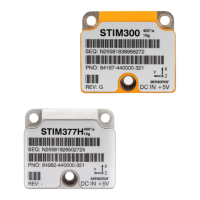

 To Next Page