
 Need help?
Do you have a question about the Saga SAGA1-L Series and is the answer not in the manual?
Details the manufacturer's guarantee against defects in material and manufacturing.
Specifies the one-year warranty duration and the process for service or repair.
Lists parts and conditions not covered by the warranty, such as consumables.
Notes on expressed vs. implied warranties and liability for damages.
Highlights crucial points to read and understand before operating the equipment.
Lists essential precautions to follow during the operation of the system.
Step-by-step guide for actions to take in case of an emergency situation.
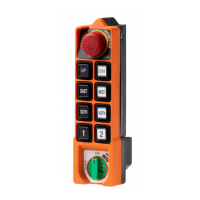
Explains the layout and function of buttons and indicators on the transmitter.
Covers basic steps for powering on, operating, and shutting down the transmitter.
Details advanced functions like acceleration, inching, and copier usage.
Instructions for changing operating frequency and performing ID-Code remote setting.
Guidance on selecting receiver voltage and proper transmitter battery usage.
Defines various modes for pushbuttons like Normal, Toggle, and different speed accelerations.
Customizes transmitter operations including Power-On modes, transmit modes, and LED behavior.
Sets receiver reaction to signals, auto-off timers, and remote setting capabilities.
Step-by-step guide to install the SAGA1-L10/L12 PC software from the CD.
Guides on activating the software, setting functions, managing data, and printing.
Information on how to exchange relays for NC or NO output contacts based on needs.
Details on increasing independent COM lines for custom demands or safety reasons.
Instructions for installing an external antenna to improve transmission range or performance.

 To Next Page
 General