19
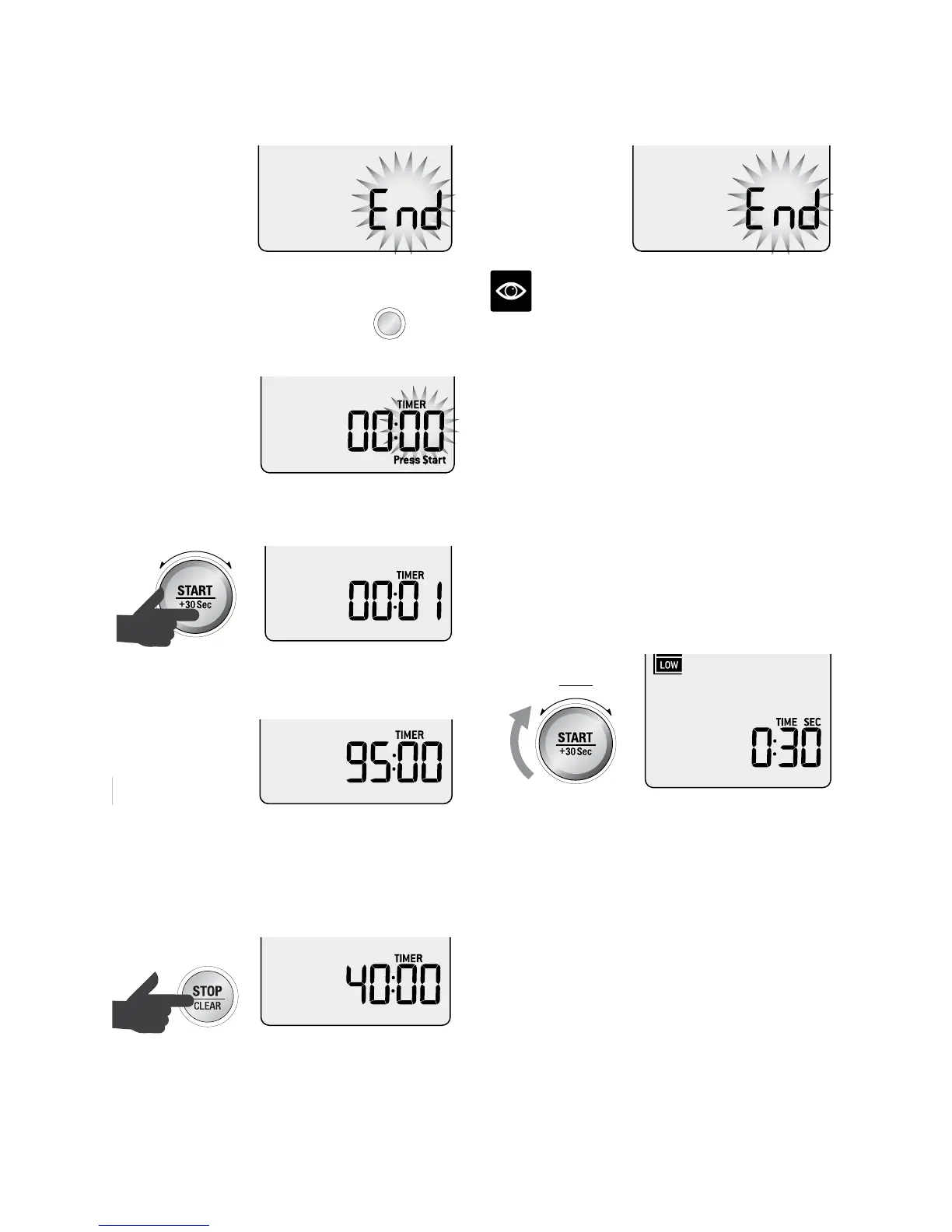
At the end of the timer function, the microwave
will beep 3 times and 'End' will flash on the
screen.
Setting the count up timer
Press TIMER on the control panel.
Amount
POWER
Food Type
TIME
A Bit More Timer
SMART
DEFROST
SMART
REHEAT
SMART
COOK GRILL
The default time is 00:00.
The second digits will flash to show it can be
adjusted. Press START button to begin.
Amount
POWER
Food Type
TIME
A Bit More Timer
SMART
DEFROST
SMART
REHEAT
SMART
COOK GRILL
The maximum count up time is 95:00
(95 minutes).
Amount
POWER
Food Type
TIME
A Bit More Timer
SMART
DEFROST
SMART
REHEAT
SMART
COOK GRILL
The timer begins to count up to 95 minutes.
To pause the timer, press STOP/CLEAR button
once. Press START to resume timer. To clear
the timer and return to the default screen press
STOP/CLEAR button twice.
Amount
POWER
Food Type
TIME
A Bit More Timer
SMART
DEFROST
SMART
REHEAT
SMART
COOK GRILL
At the end of the 95 minutes, the microwave
will beep 3 times and the word “End” will flash
on the screen.
NOTE
End will stay on screen for 1 minute before
returning to the default screen.
TIME & POWER LEVEL ADJUSTMENT
Select different times and microwave power
levels by simply turning the TIME and
POWER dials.
The maximum microwave cooking time is
95 minutes (95:00). There are 10 power levels
available.
Turning the TIME Dial
Turn TIME dial to adjust the time. The default
time will be 30 seconds.
TIME
A Bit More Timer
SMART
DEFROST
SMART
REHEAT
SMART
COOK GRILL


 To Next Page