7
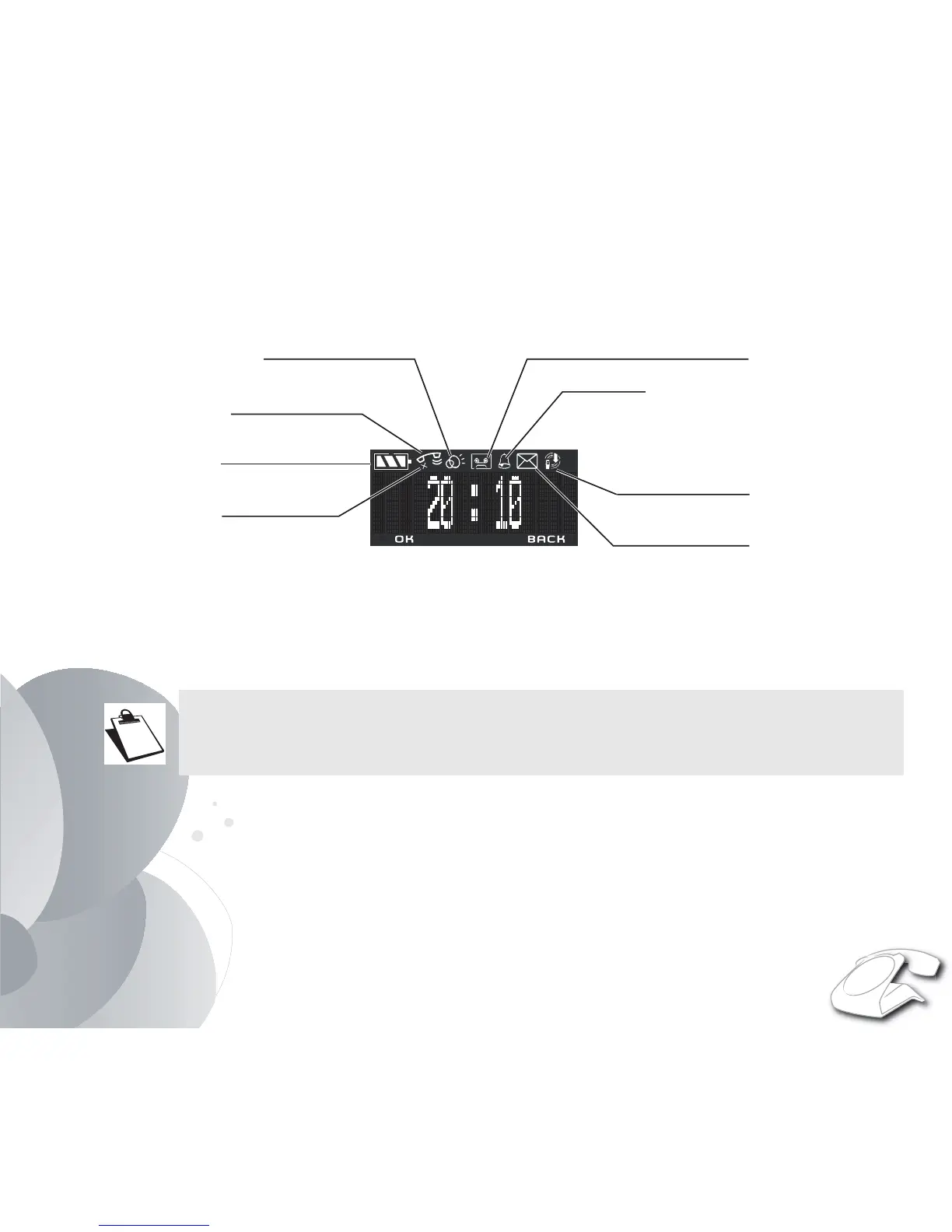
Display screen
During use or on standby, the screen of your SIXTY tells you about the state of your telephone by showing icons, and
in particular:
* The low emission icon (ECO mode): Your telephone is provided with an automatic power management
system. As soon as the handset is near its base, the power required is reduced to the minimum. Radio
transmissions are also cut off when the handset is placed on the base, and the low emission icon is then
displayed.
If a second handset is paired with the base, the "low emission" icon is no longer displayed.
Battery indicator
Microphone off
Current call
Speakerphone on
Recording answering machine on
Alarm on
New voice message
Low emission icon*


 To Next Page