44
5. - INSTALLATION AND USE OF ACCESSORIES
5.1 – ANTIGLARE FILTER (included in the carton)
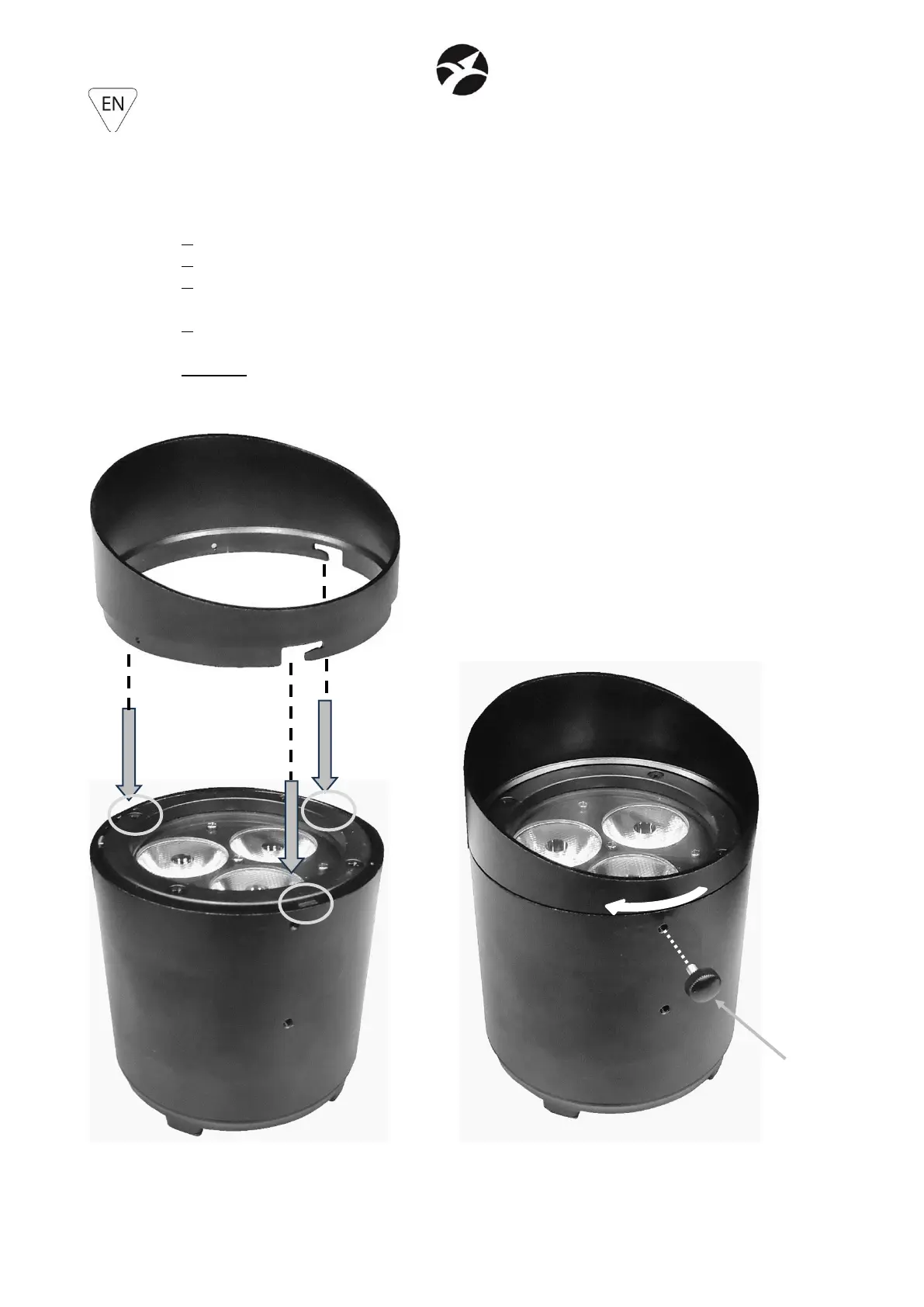
1. Insert the antiglare filter, aligning the highest part on the same side of the SAGITTER logo.
2. Align the 3 grooves on the filter with the relative teeth on the projector
3. As soon as the filter is inserted, rotate it clockwise about 5 degrees, so as to block the
grooves in the teeth. The rotation is considered completed when the filter blocks
4. Insert the M4x8 locking knob to prevent accidental unlocking of the filter.
WARNING: the insertion of the M4x8 locking knob is mandatory, in order to prevent accidental
unlocking of the filter.


 To Next Page