58
6. – CONNECTIONS AND WORKING MODES
6.1 – CONNECTION TO THE MAINS
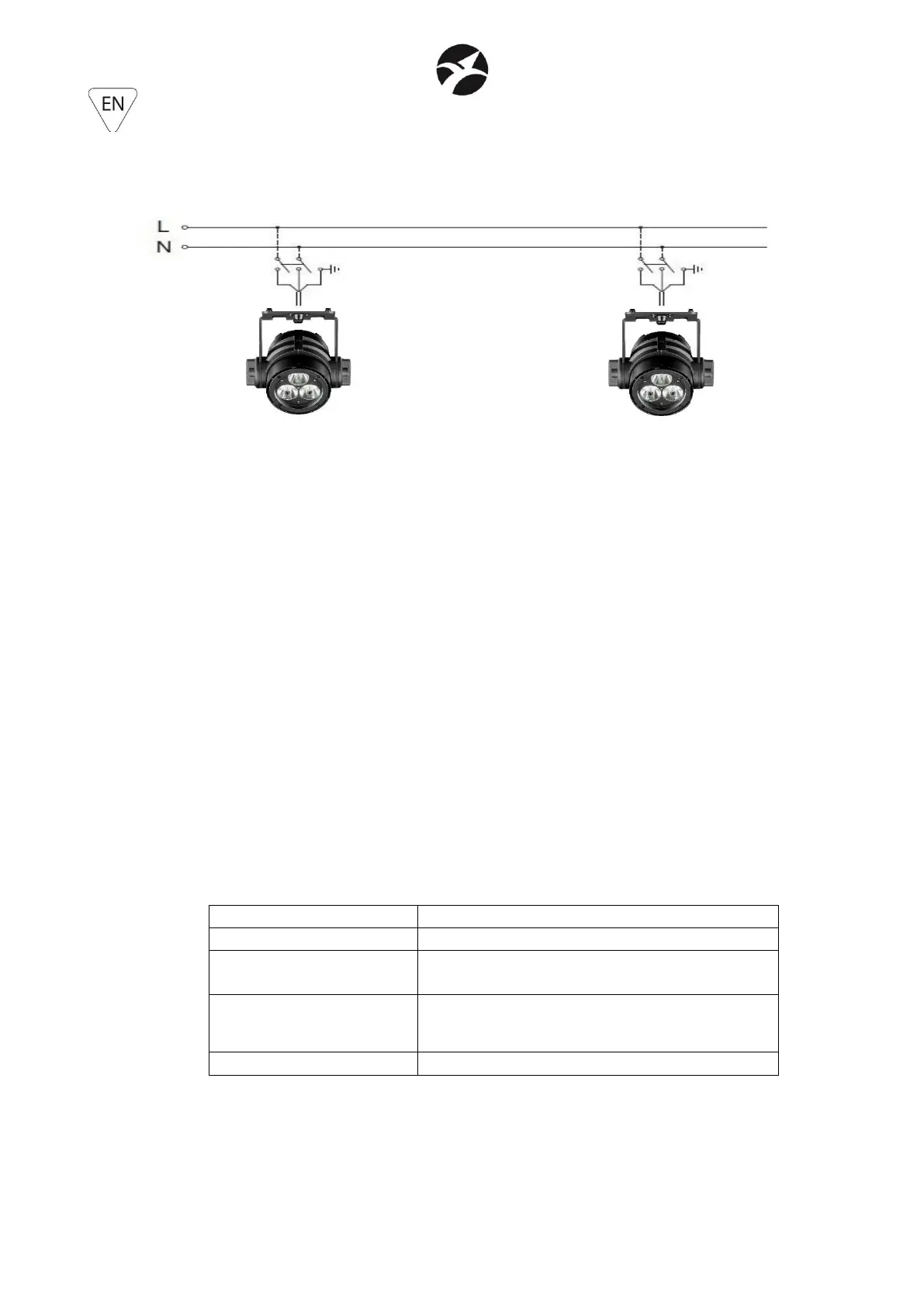
When the projector is powered by the mains with its specific external adapter, it must be
connected to a power supply system with a proper earth system. Moreover, it is recommended
to protect power supply lines of the products from indirect contact and / or shorting to earth
by using appropriately sized anti electrical shock switch.
The electrical connection must be carried out by a qualified electrician. Ensure that the mains
frequency and voltage correspond to those for which the device is designed, as shown in the
electrical data label.
6.2 – CONNECTION TO THE DMX CHAIN
The connection in DMX chain is possible only in wireless mode.
- Switch ON and connect the transmitter SG WECONBOX / SG WECONBOXIP (sold
separately) to a DMX controller and set it in Transmitter mode (Blue LED Default mode).
- In the projector, go in the submenu OPERATE MODE and set CONTROL MODE = W-DMX.
- Set also SLAVE mode in the submenu OPERATE MODE.
- Check the color of the Wireless LED status as indicated in the below table.
- Set the DMX address of the projector ans set also the DMX channels mode and come back
to the main menu.
- The wireless LED status can take following colors


 To Next Page
 Loading...