59
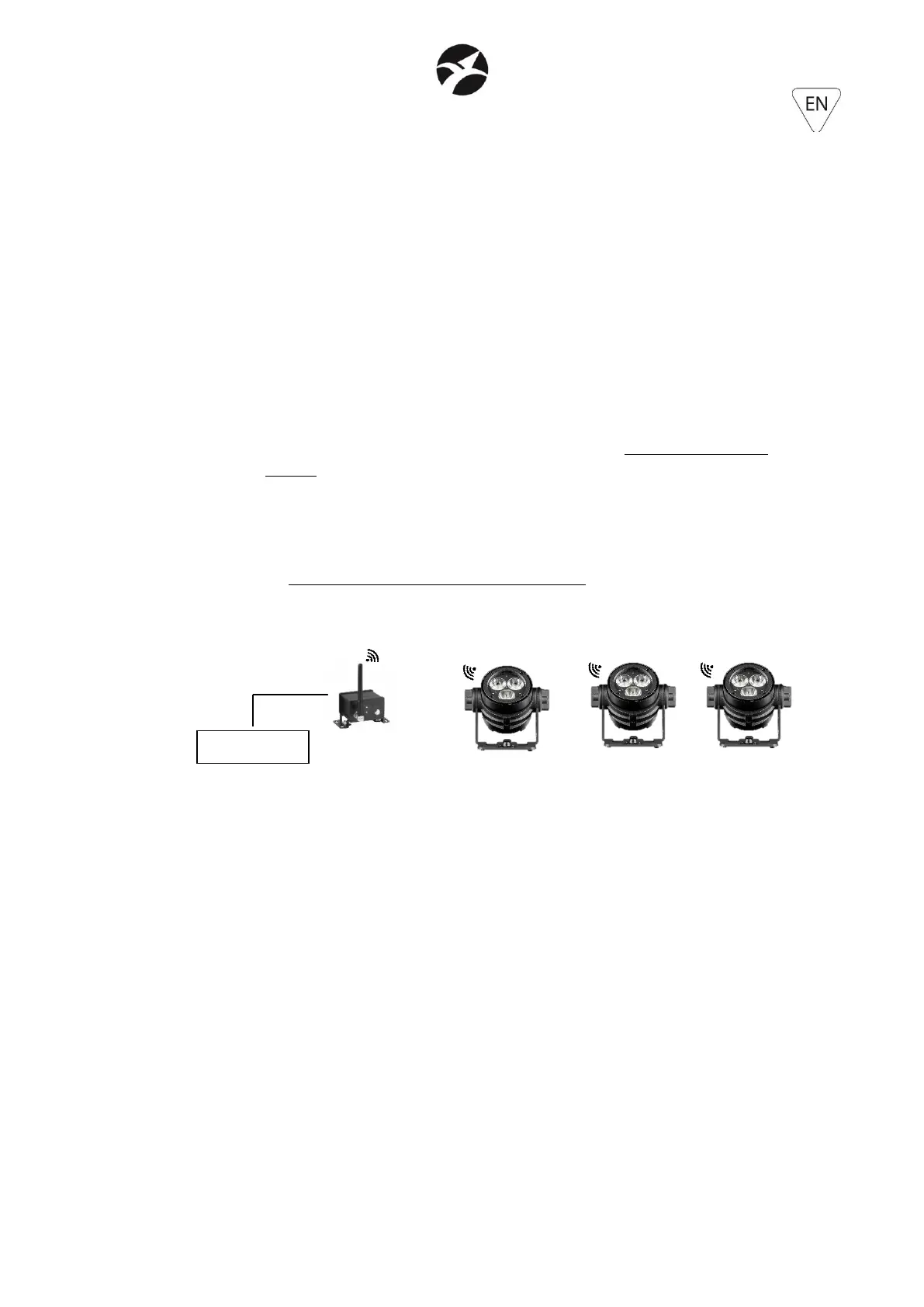
- It is then necessary to link the projector with the transmitter following the following
instructions:
1. After switching on the projector and the transmitter, if there are no new transmitters
to which link it, the projector automatically pairs to the last transmitter to which it
was previously linked.
2. If, on the contrary, it needs to pair to a new transmitter, it must first clear the settings
of the old wireless pairing:
a. Enter in the submenu OPERATE MODE – WIRELESS. Considering that the
projector is in SLAVE mode (as indicated before), the only function present inside
the option WIRELESS, will be UNLINK. Set and press ENTER. After few seconds
the projector will disconnect from the old transmitter and the Wireless LED status
indicator, will come back to be white.
3. To link the projector and the new transmitter, follow following indications:
a. Press and hold PAIRING button on the transmitter.
b. When the Wireless LED status indicator will be green (after approximately 5
seconds), the link process was successfully completed. The Wireless LED status
indicator will be green blinking if the transmitter is not connected to a DMX
signal, otherwise the LED will be green fixed.
It is possible to unlink at the same time one group of projectors from the transmitter to which
they are linked: press and hold, for approximately 5 seconds, the PAIRING button of the
transmitter and release when the wireless LED status of the transmitter starts to blink. In this
way all the linked projectors will be unlinked (wireless indicator blinking red)..
6.3 – MASTER / SLAVE WORKING MODE
It is possible to operate a set of projectors in Master / Slave mode only in Wireless mode
1. Select the SLAVE projectors SLAVE;
2. In the submenu OPERATE MODE – MASTER/SLAVE make sure that the selected projectors
are in SLAVE mode
3. In the submenu OPERATE MODE – WIRELESS, set UNLINK in case the Wireless LED status
indicator has a different color than white. After few seconds the projector will unlink After
a few seconds, the projector will unlink from any previous transmitter and the wireless LED
status indicator will come back to white color.
4. In the submenu OPERATE MODE – CONTROL MODE, set W-DMX mode.
5. Select the projector that will be MASTER
6. In the submenu OPERATE MODE – MASTER/SLAVE set MASTER mode. The wireless LED
status indicator will be BLUE.


 To Next Page
 Loading...