
 Need help?
Do you have a question about the Sailor 250 FleetBroadband and is the answer not in the manual?
Congratulations on the purchase of your SAILOR FleetBroadband system!
Details the features and interfaces of the SAILOR FleetBroadband system.
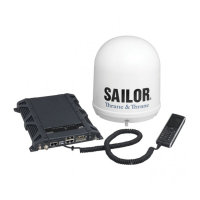
Describes the main units of the SAILOR 500/250 FleetBroadband systems.
Explains the BGAN system and the Inmarsat FleetBroadband service.
Details services and the interfaces used to access them.
Provides precautions for operation at high temperatures.
Guides on inserting the SIM card and switching on the terminal.
Details power supply (PoE) and the startup procedure for the Thrane IP Handset.
Instructions for connecting a computer to the LAN interface.
Explains if a SIM PIN is needed and how to enter it using various methods.
Describes the automatic registration procedure on the BGAN network.
Guide to making or receiving the first call.
Details how to activate a standard internet connection via web interface or handset.
Overview of tools for setup and use, including the Thrane IP Handset.
Details available interfaces for connecting voice equipment.
Enables adding Multi-voice for up to 9 simultaneous calls.
Allows making Distress and Urgency calls using the FleetBroadband service.
Details interfaces, router function, and connection types on LAN.
Explains using the handset as a user interface and for calls.
Explains what the web interface is and how to access it.
Details how to enter the SIM PIN using the web interface.
Explains the Properties section of the Dashboard for status and information.
Instructions on general usage of the phone book, including adding and editing entries.
Explains how to view total usage and export the call log.
Provides instructions for sending and managing SMS messages.
Covers enabling/disabling L-Band, configuring LAN, and IP addresses.
Details I/O pins and their functions for ringer output, mute, and ignition.
Explains network management system, user groups, and profiles.
Configures compatibility between terminal and IP handsets based on software version.
Lists network devices and allows locking IP addresses to MAC addresses.
Defines terms like APN, Header compression, NAT, and Profiles.
Administrator can start and stop data sessions for all connected network user groups.
Describes how to view software version and upload new software.
Allows selection of a preferred satellite for connection, overriding auto mode.
Allows changing the default language of the web interface.
Covers accessing administration settings and logging on.
Allows entering tariffs to automatically calculate call and data session charges.
Explains how to clear logs and reset counters.
Defines Quality of Service (QoS) settings for data transmission.
Selects primary and secondary profiles for a network user group.
Allows defining custom QoS profiles for data transmission.
Assigns priorities to different traffic types to optimize performance.
Enables or disables the use of a SIM PIN for terminal access.
Allows allowing or denying non-administrator users access to system functions.
Configures the terminal for remote control via web interface or AT commands.
Details remote control of the terminal via SMS activation.
Monitors external IP connection by sending ping commands to a server.
Limits calls to allowed numbers or phone book entries.
Enables and configures Multi-voice for simultaneous calls.
Sets up the terminal for Voice Distress calls, linking IP handset and Alarm Panel.
Provides access to help desk and instructions for generating diagnostic reports.
Explains viewing event lists/logs and performing self tests.
Provides an overview of submenus, allowing direct navigation.
Provides information on airtime and system support contacts.
Describes how to view software version and upload new software.
Lists system units and their corresponding part numbers.
Table of common problems, possible causes, and remedies.
Explains different means of status signalling for troubleshooting.
Describes the diagnostic report and the event log for troubleshooting.
Explains how to access and the functions of the terminal's reset button.
Lists IP subnets reserved for internal terminal use to avoid communication conflicts.
Details supported AT commands for PPPoE, including syntax and examples.
States CE certification (R&TTE directive) for the SAILOR 500 FleetBroadband.
States CE certification (R&TTE directive) for the 19" Rack version.
States CE certification (R&TTE directive) for the SAILOR 250 FleetBroadband.
States CE certification (R&TTE directive) for the 19" Rack version.
Access Point Name: Used by the operator to establish network connection.
Broadband Global Area Network: Satellite network for global data and voice.
Conformité Européenne: Product conforms to EU health, environmental, safety regulations.
Context Identifier.
Continuous Monitoring.
Circuit-Switched: Requires dedicated point-to-point connections for calls.
Dynamic Host Configuration Protocol: Assigns dynamic IP addresses to network devices.
Domain Name System: Translates server names (URLs) to server addresses.
 General
| Brand | Sailor |
|---|---|
| Model | 250 FleetBroadband |
| Category | Home Cinema speakers |
| Language | English |

 To Next Page