
 Need help?
Do you have a question about the Sailor SC4000 Iridium and is the answer not in the manual?
Details about the satellite constellation, orbit, and beams.
Specifications of the radio frequency range, duplexing, and power.
Technical characteristics of the antenna, including link margin and tracking.
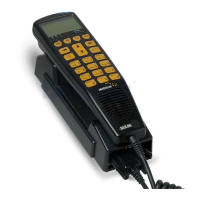
Specifications for handset, telephone/PABX, and data connections.
DC and optional AC input voltage and consumption details.
Operating and storage temperature, humidity, icing, precipitation, and vibration limits.
How to identify different hardware versions (Mk2, Mk3, Mk4) of the transceiver unit.
Diagram and explanation of connecting units in a single-channel system.
Detailed description and pin-outs for various cables used in the system.
Guidelines for selecting an optimal, sheltered, and accessible location.
Instructions on physically attaching the transceiver box to a wall.
Steps for attaching the protective cover after mounting.
Procedure for unlocking, inserting, and securing the SIM card.
Information on an additional SIM card slot and its priority.
Steps to detach the cover for access to internal components.
Instructions and diagrams for mounting the antenna securely.
Details on connecting and using standard PSTN telephones with the system.
How to use the unit as a data modem for PC connectivity.
Information on connecting an optional ringer or lamp for notifications.
Location and function of the button to reset the transceiver unit.
A list of available spare parts with corresponding item numbers for different hardware versions.
 General
| Network | Iridium |
|---|---|
| Coverage | Global |
| Voice | Yes |
| Type | Satellite Phone |
| Weight | 300 g |
| Battery Life | Up to 30 hours standby |
| Interface | USB |
| Supported Features | SMS |

 To Next Page