
EasyManua.ls Logo

SainSmart GENMITSU 3018-PROVer - User Manual

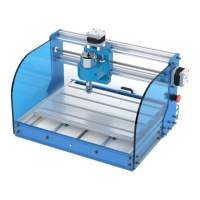
SainSmart GENMITSU 3018-PROVer
50 pages
Print Icon
To Next Page IconTo Next Page
Loading...
USER MANUAL
GENMITSU CNC ROUTER 3018-PROVer

Questions and Answers

Summary

Welcome

Warnings

Parts List

Finishing the Assembly

Secure the Bed to the base assembly

Steps to attach the bed securely to the base assembly using bolts.

Install Y axis Limit switches and Cable Holders on the Base assembly

Instructions for mounting Y-axis limit switches and cable holders.

Install the Anti Vibration feet on the Base Assembly

How to attach anti-vibration feet to the base assembly.

Install X axis Limit switches and Cable Holders on the Gantry Assembly

Guide for installing X-axis limit switches and cable holders on the gantry.

Position the Gantry attachment Slider nuts

Procedure for correctly positioning slider nuts for the gantry.

Install the Gantry assembly onto the Base Assembly

Steps to mount the completed gantry assembly onto the base.

Install the Spindle Motor

Instructions for mounting the spindle motor onto the gantry.

Install the Motherboard

Guide for installing the GRBL motherboard onto the CNC router.

Install Side Plates

How to attach the side plates to the CNC router frame.

Install Side Plates (Bed Clamp Set)

Instructions for installing the bed clamp set for securing workpieces.

Wiring it up

General Wiring Notes

General guidelines for cable labeling, routing, and protection.

Motherboard Connections

Diagram showing connections to the main control board.

Motherboard Connection Markings

Table detailing markings and their corresponding functions on the motherboard.

Connecting the X Axis Limit Switches

Steps to connect the limit switches for the X axis.

Connecting the Y Axis Limit Switches

Steps to connect the limit switches for the Y axis.

Connecting the Z Axis Limit Switches

Steps to connect the limit switches for the Z axis.

Connecting the Stepper motors

Guide for connecting the stepper motor cables to the control board.

Connecting the Spindle motor

Instructions for connecting the spindle motor cable.

Connecting the Emergency Stop Button

How to connect the emergency stop button to the motherboard.

Final Checks

Lubricate the axes

Recommended lubrication for the threaded rods of the axes.

Check Cable routing

Verifying that cables are routed correctly and do not impede movement.

Emergency stop button

Checking the proper function and connection of the emergency stop button.

Vref

Checking the Vref setting for stepper motors.

A Brief Glossary

Setting up the Software

Install the Windows Serial port driver

Instructions for installing the necessary USB serial port driver.

Install Grblcontrol;Candle

Guide to installing and setting up the Grblcontrol/Candle software.

Connect and Configure Candle Software

Steps to connect the router and configure settings in Candle software.

Machine Information Settings

Verifying and setting machine parameters within the software.

Testing

Test 1 - All axes move in the right direction

Verifying correct movement direction of all CNC axes.

Test 2 - Free movement of Cables

Checking for free and unimpeded movement of all cables.

Test 3 - Limit switch operation

Testing the functionality of all limit switches.

Test 4 - Homing Cycle

Performing and verifying the homing cycle.

Test 5 - Spindle Motor

Testing the spindle motor's operation and indicators.

Test 6 - Emergency Stop Button

Verifying the emergency stop button's functionality.

Test 7 - Z-Probe

Setting up and testing the Z-Probe for height measurement.

Z-Probe G-Code Configuration

Modifying G-Code for Z-Probe setup in Candle and Offline Controller.

TROUBLESHOOTING

Common issues and their checks for the CNC router.

Run a test engraving

Performing a test engraving to verify setup and operation.

Test Engraving Setup

Positioning the bit, securing the stock, and preparing for engraving.

Execute Test Engraving

Starting the test job and monitoring progress.

Troubleshooting Test Engraving

Solutions for uneven cuts or incorrect depth during engraving.

Recovering from activating a limit switch

Steps to recover from a limit switch activation during a job.

Using the Offline Controller

Supported Files

Information on file naming and formatting for the controller.

Special Files

Details on probe.txt and Spindle Laser.txt files.

Setting up the Z-Probe (Offline Controller)

Configuring the Z-Probe for use with the offline controller.

Navigating the Offline Controller Interface

Explanation of buttons and controls on the offline controller.

Control Menu Functions

Overview of functions available in the control menu.

File Menu Operations

How to select and run files from the SD card.

Run a File

Process of selecting, running, pausing, and cancelling files.

Summary of running a file

Step-by-step summary for running a file using the controller.

Spindle;Laser Control File

How to use the Spindle/Laser.txt file for control.

SainSmart GENMITSU 3018-PROVer Specifications

General IconGeneral
BrandSainSmart
ModelGENMITSU 3018-PROVer
CategoryNetwork Router
LanguageEnglish