EasyManua.ls Logo

SainSonic RST599 - User Manual

SainSonic RST599
42 pages
Print Icon
To Next Page IconTo Next Page
Loading...
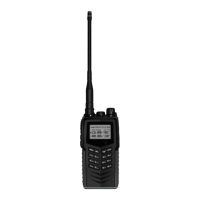
The SainSonic RST599 is a unique FM transceiver with many
groundbreaking features. It adopts graphic dot matrix LCD screen,
which allows users to change the LCD display icons and language
whenever needed, and therefore be able to make LCD display more
vivid and personalized. Moreover, the menu items are divided into
first-layer menu and second-layer menu, which allows users to find out
the desired menu item more easily.
We appreciate your purchase of this transceiver, and encourage you to
read this manual thoroughly, so as to learn about the many exciting
features of your exciting new handheld transceiver!
This transceiver is innovative in design, powerful and stable in
performance. We are confident that the excellent quality and
characteristic functions of this transceiver will satisfy you and meet all
your communication needs.
Notices to User
Government law prohibits the operation of unlicensed radio
transmitters within the territories under government control.
Illegal operation is punishable by fine or imprisonment or both
Refer service to qualified technicians only.
Question and Answer IconNeed help?

Do you have a question about the SainSonic RST599 and is the answer not in the manual?

Summary

WARNING

FCC Warning and RF Exposure

Safety guidelines for radio frequency exposure and compliance.

USING TIPS

Safe Operation and Usage Guidelines

Instructions for safe operation, avoiding hazards, and proper handling.

ACCESSORIES SUPPLIED WITH SainSonic RST599

INSTALLATION OF ACCESSORIES

Installing and Removing the Battery

Procedure for attaching and removing the battery pack.

Installing and Removing the Antenna

Steps to attach and detach the transceiver antenna.

Installing and Removing the Belt Clip

How to attach and remove the belt clip.

Connecting Optional Earphones

Guide for connecting external earphones.

CHARGING BATTERY

Charger and Charging Methods

FUNCTIONS AND OPERATION

GETTING FAMILIAR

LCD Display Icons and Indicators

Explanation of icons and indicators on the LCD screen.

Radio Illustration and Controls

KEYPAD FUNCTIONS

SHORTCUT MENU Usage

FULL MENU ITEMS Overview

DETAILED MENU ITEMS DESCRIPTION

TX;RX GROUP Settings

Configuration for transmission and reception parameters.

CTC;DCS GROUP Settings

Configuration for CTCSS and DCS signaling codes.

SIGNALLING GROUP Settings

Settings for signaling types (2 Tone, 5 Tone, DTMF).

CHANNEL GROUP Operations

Memory channel management and naming functions.

REPEATER GROUP Settings

Settings for repeater functions like tone and shift.

SCAN GROUP Configuration

Configuration and operation of scanning features.

SET GROUP Configuration

General transceiver settings like work mode and display.

VOX Gain and Delay Settings

Adjusting voice-activated transmission sensitivity and delay.

Clock and Date Settings

Setting the transceiver's clock time and date.

Beep Tone Settings

Configuration for transmit begin and end beep tones.

Key Lock and Lamp Control

Managing keypad lock and LCD backlight settings.

ADDITION GROUP Features

Advanced settings like alarms, passwords, and AUC.

Power-on Password Management

Setting and editing the power-on password.

Automatic Contact (AUC) Features

Monitoring communication range and automatic contact settings.

Reset Procedure

Restoring VFO or all settings to factory defaults.

FM RADIO FUNCTION

FM Radio Mode Operation

Activating and using the built-in FM radio features.

COMPLEMENTARY FUNCTIONS

Flashlight and Emergency Alarm

Controls for the flashlight and emergency alarm call.

SET MODE ITEMS

Warranty Terms

Scope and Period of Warranty

Details on warranty coverage and duration for the product.

SainSonic RST599 Specifications

General IconGeneral
Frequency Range400-470 MHz
Output Power5W
BatteryLi-ion
Antenna Impedance50 ohm
Operating Voltage7.4V