
 Need help?
Do you have a question about the Saitek Pro Flight Switch Panel and is the answer not in the manual?
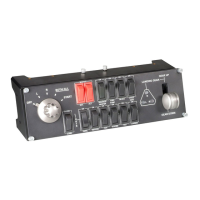
Details on controlling engine start and stop sequences.
Functions for battery, cockpit, and de-icing systems.
Controls for opening and closing propeller aircraft cowls.
Functionality for managing aircraft lighting systems.
Controls for landing gear operation and status indication.
Steps for downloading and installing necessary device drivers.
Instructions for installing the accompanying software for the panel.
 General
| Connectivity | USB |
|---|---|
| Number of Dials | 0 |
| LED Indicators | Yes |
| Product Type | Control Panel |
| Compatibility | Windows |

 To Next Page
