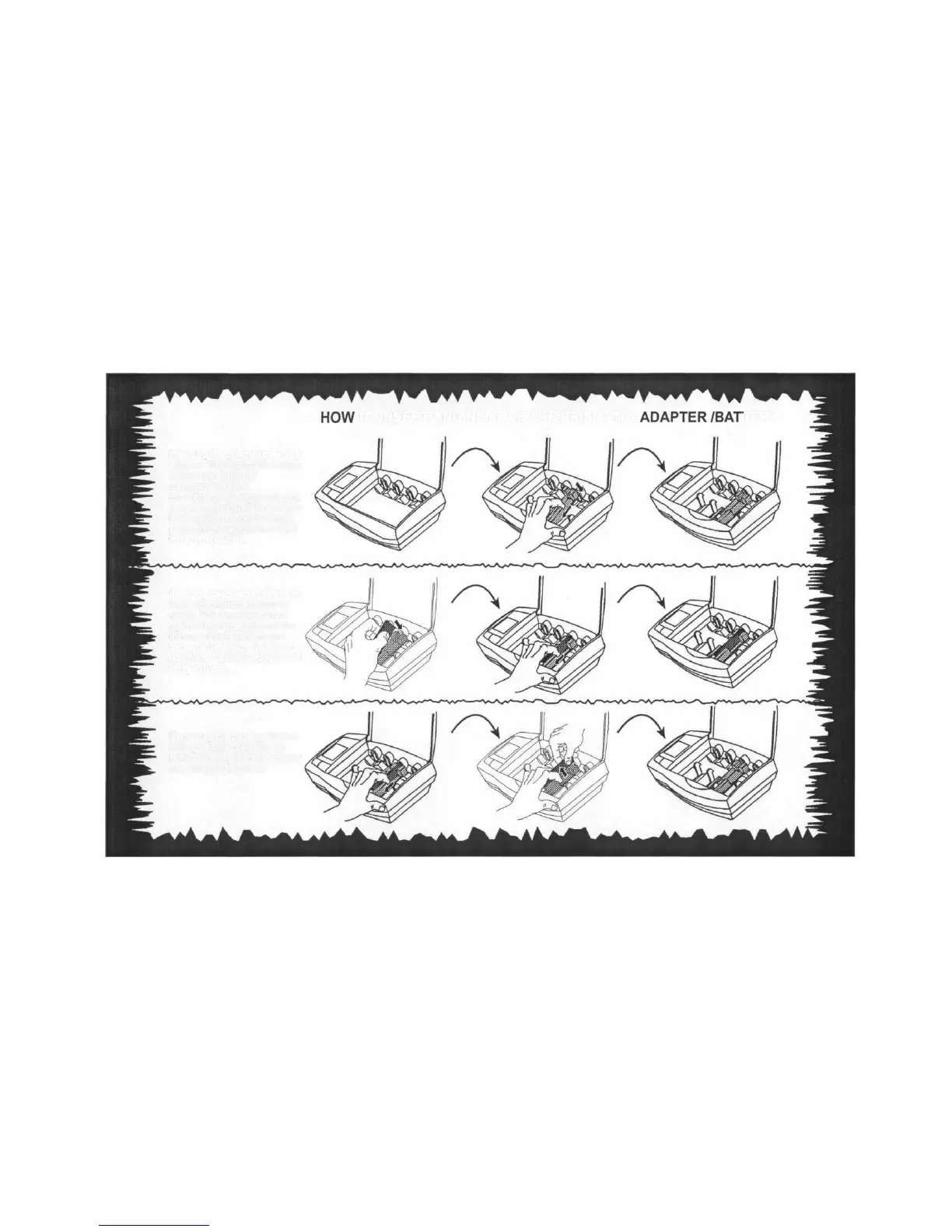
HOW
TO INSERT AND REMOVE THE PRISMATIC
ADAPTER/BAT
ERY
Inserting the prismatic battery
adapter: Tilt the prismatic battery
adapter into a battery
compartment of the
SmartCharger. Using two fingers,
as shown, gently pull the adapter
back against the metal contact
plate until the adapter is lodged
firmly into position.
Inserting the prismatic battery:
Place the prismatic battery as
shown. Pull the adapter back
against the metal plate and the
battery will fall easily into the
battery adapter slot. Release the
adapter so that the battery is held
firmly in place.
Removing the battery: Pull the
battery adapter back. Lift the
prismatic battery out of the adapter
slot with your free hand.



 To Next Page