leakage of the fully charged battery. Since Trickle
Charge mode maintains the replenished state of the
battery, it is recommended that you keep the battery
in the charger (in Trickle Charge mode) until you are
ready to use it. In the Trickle Charge mode, all of
the energy bars will light up, the Charged Battery
symbol will appear and the Top-Off/Trickle Charge
icons of the symbol will flash. The unit will stay in
Trickle Charge mode until you open the lid.
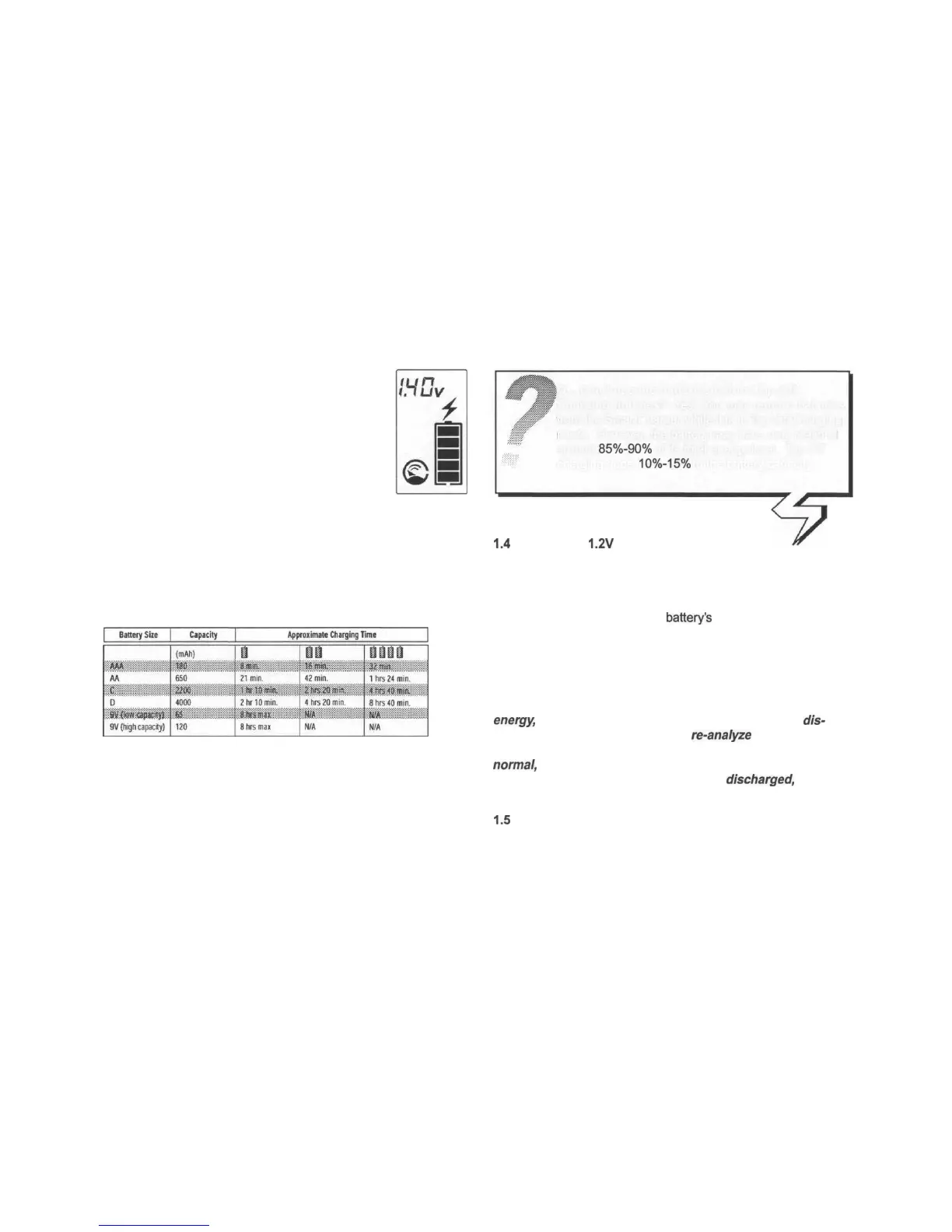
The charging time required depends on the type, brand,
size, capacity and condition of the battery (for example, bad quality
batteries take longer to recharge). The time can vary anywhere
between several minutes and many hours. Your SmartCharger will
take as much time as necessary to recharge your batteries
properly and safely. See the table below for an approximate
indication of charging times:
The above charging times are for a typical battery and for
general reference only. The Approximate Charging Time excludes
Top-Off and Trickle Charge time.
1.4
Checking
1.2V
Ni-Cd/Ni-MH Batteries
Open the lid and place one 1.2V Ni-Cd/Ni-MH battery into a
battery slot. Press ANALYZE. The SmartCharger will take just a
few seconds to evaluate the condition of your battery, during which
time the Battery Analyzer symbol will cycle and the outline of the
Energy symbol will light up. The
battery's
voltage and energy
remaining will then be displayed on the LCD (the greater the
number of energy bars displayed means the higher the level of
energy left). If the battery is not suitable for recharging, the Bad
Battery symbol will appear, in which case you should remove the
battery and dispose of it.
Important: Analyzing the battery depletes the battery's
energy,
which is why increasingly less energy will be
dis-
played on the LCD every time you
re-analyze
the same battery.
Note: The level of energy left shown is based on a
normal,
fully charged battery. If the battery being analyzed
has not been fully charged before being
discharged,
it may
not be possible to accurately indicate the current energy.
1.5
Revitalising 1.2V Ni-Cd/Ni-MH Batteries
Certain brands of battery, new batteries or batteries that
Q... Can I use the batteries before Top-Off
Charging finishes? Yes. You may remove batteries
from the SmartCharger while it is in Top-Off Charging
mode. However, the battery may have only reached
around
85%-90%
of its total energy level. Top-Off
charging adds
10%-15%
to the battery capacity.



 To Next Page