Owner’s Manual - 7 -
2. Press Shutter button within 5 seconds. The digits will keep flashing.
3. Press Shutter button within 5 seconds again. All of the photos in the camera are
deleted.
Delete the Last Photo
1. Repeatedly press MODE button to select the icon
shown on the LCD display.
2. Press Shutter button within 5 seconds. The last photo in the camera is deleted.
Turn Camera off
1. Press MODE button and hold for 3 seconds to turn off the power.
Note: The camera will be off automatically if there is no operation for 60 seconds.
The Set Mode
The Set mode lets you determine your camera settings.
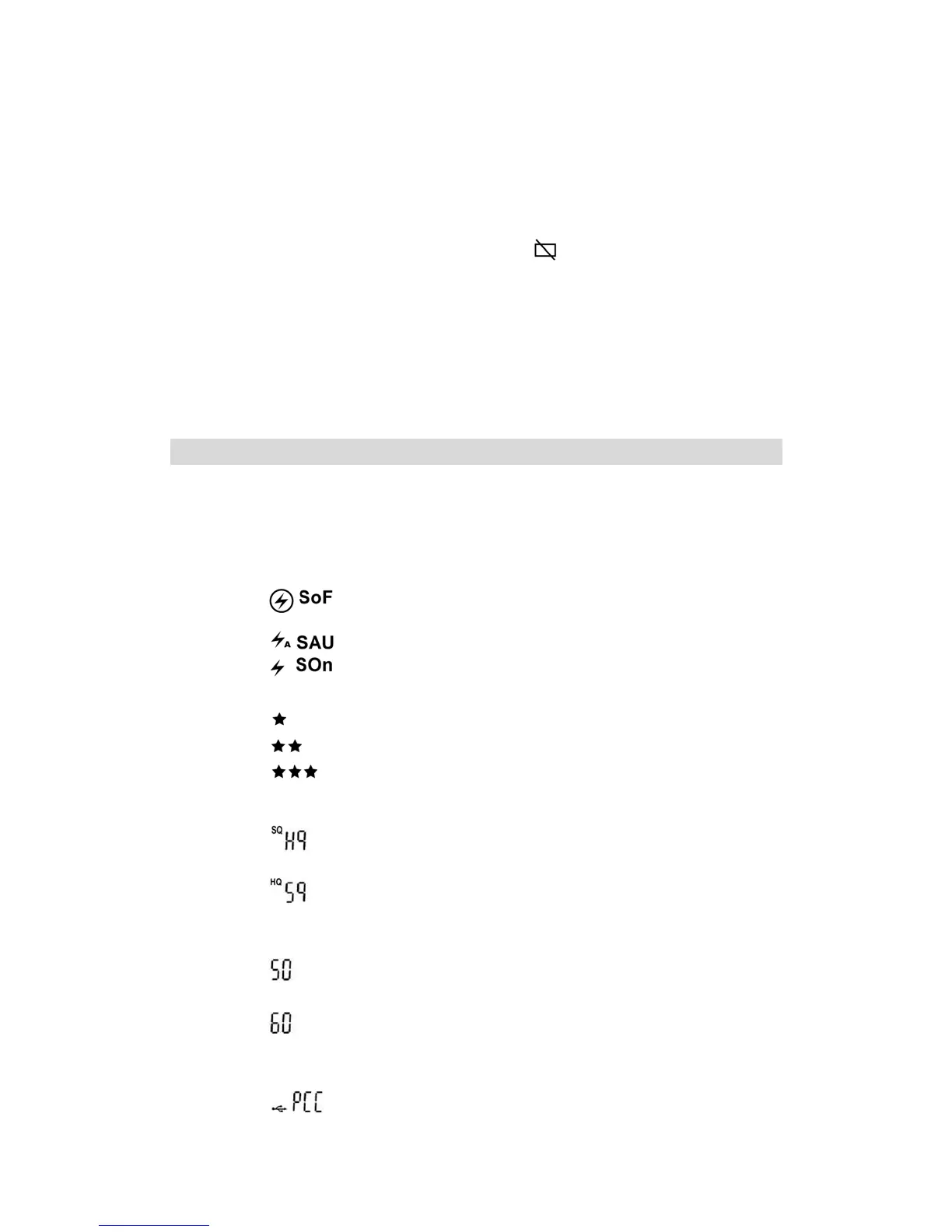
The camera settings available are:
1. Flash Settings:
¾
Flash off
¾
Flash Automatically
¾
Force Flash mode
2. Set Photo Resolution
¾
Low Resolution
¾
Normal resolution
¾
High resolution
3. Set Photo Quality
¾
High Quality
¾
Standard Quality
4. Set Frequency
¾
50Hz
¾
60Hz
5. Set camera to PC camera mode or to regular camera mode
¾
PC Camera mode



 To Next Page