EasyManua.ls Logo

Sakar 98309v2 - Memory Usage Reference Table; Frequency Setting; Selecting Frequency Setting

Sakar 98309v2
32 pages
Print Icon
To Next Page IconTo Next Page
To Previous Page IconTo Previous Page
Loading...
21
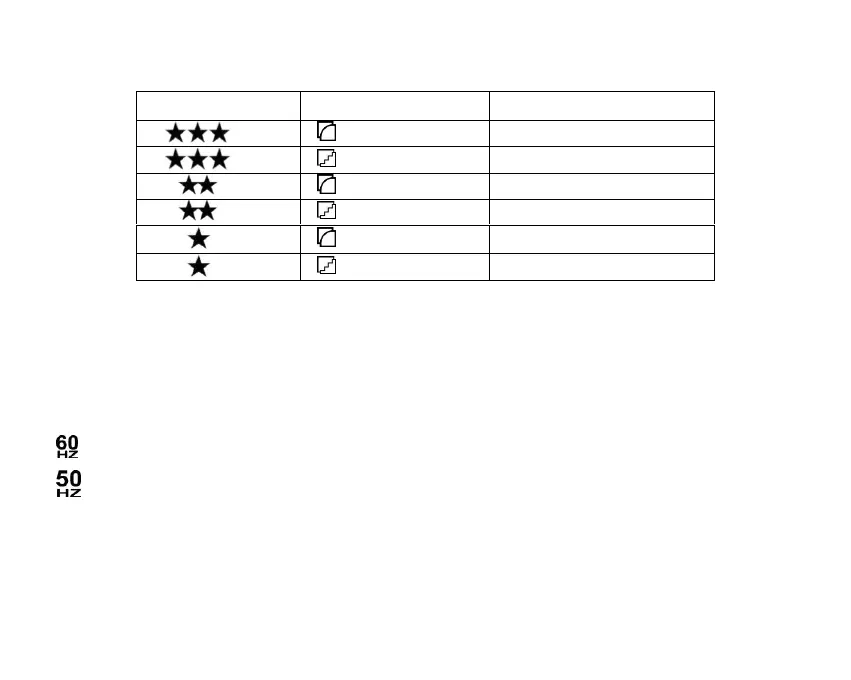
Memory Usage Reference Table:
FREQUENCY SETTING
Set the camera for the correct frequency according to the electric current frequency in the area
where you are. The Frequency Setting includes the following options:
60 Hz: for US, Canada, Japan and South America
50 Hz: for UK, Europe, Asia and Australia
To select the desired Frequency Setting:
1. Press the MENU button to enter the Main Menu.
2. Press the LEFT/RIGHT button to select the Frequency Setting menu icon.

Photo Resolution
Photo Quality
Total Number of Photos
2.1M
High Quality
15 photos
2.1M
Normal Quality
30 photos
1.3M
High Quality
20 photos
1.3M
Normal Quality
40 photos
VGA
High Quality
46 photos
VGA
Normal Quality
120 photos

Related product manuals