1
1 1
1
2
2 2
2
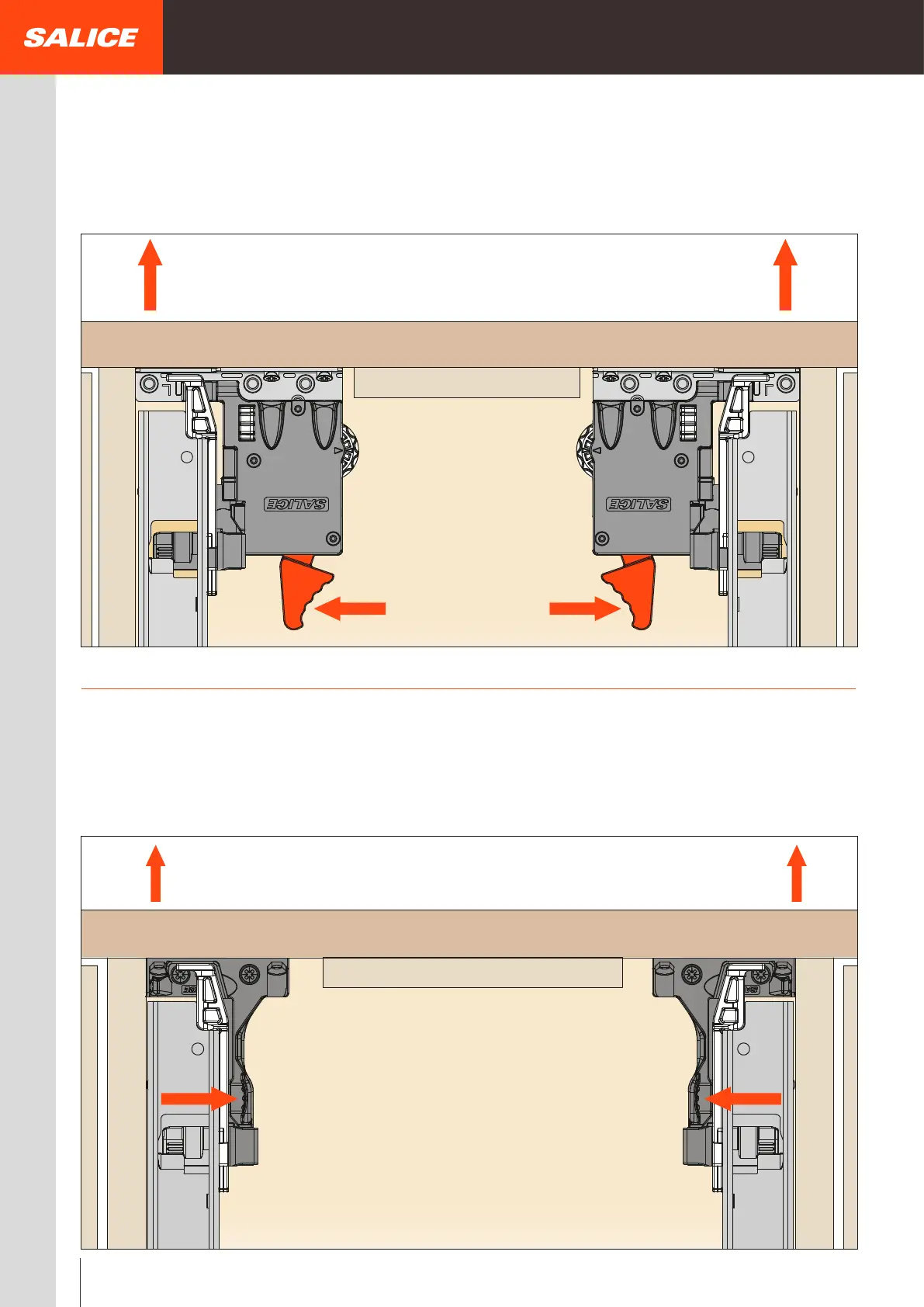
Drawer removal
Standard locking device -
Side and depth adjustments
For all Progressa, Progressa
+
and Progressa
+
Shelf runners
Position hands under the front of the drawer and press on the orange levers, as indicated in the drawing, sliding the drawer out of the cabinet.
Standard locking device - Front and side fixing
For all Progressa, Progressa
+
and Progressa
+
Shelf runners
Position hands under the front of the drawer and press on the black levers, as indicated in the drawing, sliding the drawer out of the cabinet.
22



 To Next Page