
EasyManua.ls Logo

Salora 60BFH3800 - User Manual

Salora 60BFH3800
45 pages
Print Icon
To Next Page IconTo Next Page
Loading...
SALORA
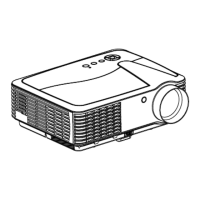
PROJECTOR
MODEL: 60BFH3800
ENGLISH

Questions and Answers

  • J
    Judith HernandezAug 10, 2025
    What to do if my Salora Projector has no image?
    • F
      fmaxwellAug 10, 2025
      If your Salora Projector shows no image, ensure the correct input source is selected. Also, verify the input signal and make sure the input cable is properly connected. If you are using PC mode, adjust the PC output frequency to 50-60Hz. When using a laptop, set the output signal to VGA.
  • G
    gonzalezjoseAug 21, 2025
    Why does my Salora 60BFH3800 turn off automatically?
    • A
      ahartAug 21, 2025
      If your Salora Projector turns off automatically, check the ventilation for any blockages and clear them. Ensure a stable voltage supply. Inspect the fan to ensure it is functioning properly, as the projector may have overheated.
  • T
    Tracey GrantAug 30, 2025
    How to fix a Salora 60BFH3800 Projector when the remote control isn't working?
    • H
      helen51Aug 30, 2025
      If the remote control doesn't work with your Salora Projector, first, ensure the power switch is turned on. Replace the batteries in the remote control if they are low or depleted. Aim the remote control directly at the IR receiver. Also, remove any bright light sources that might be shining on the IR receiver.

Salora 60BFH3800 Specifications

General IconGeneral
BrandSalora
Model60BFH3800
CategoryProjector
LanguageEnglish

Related product manuals
