Product Schematic Diagram
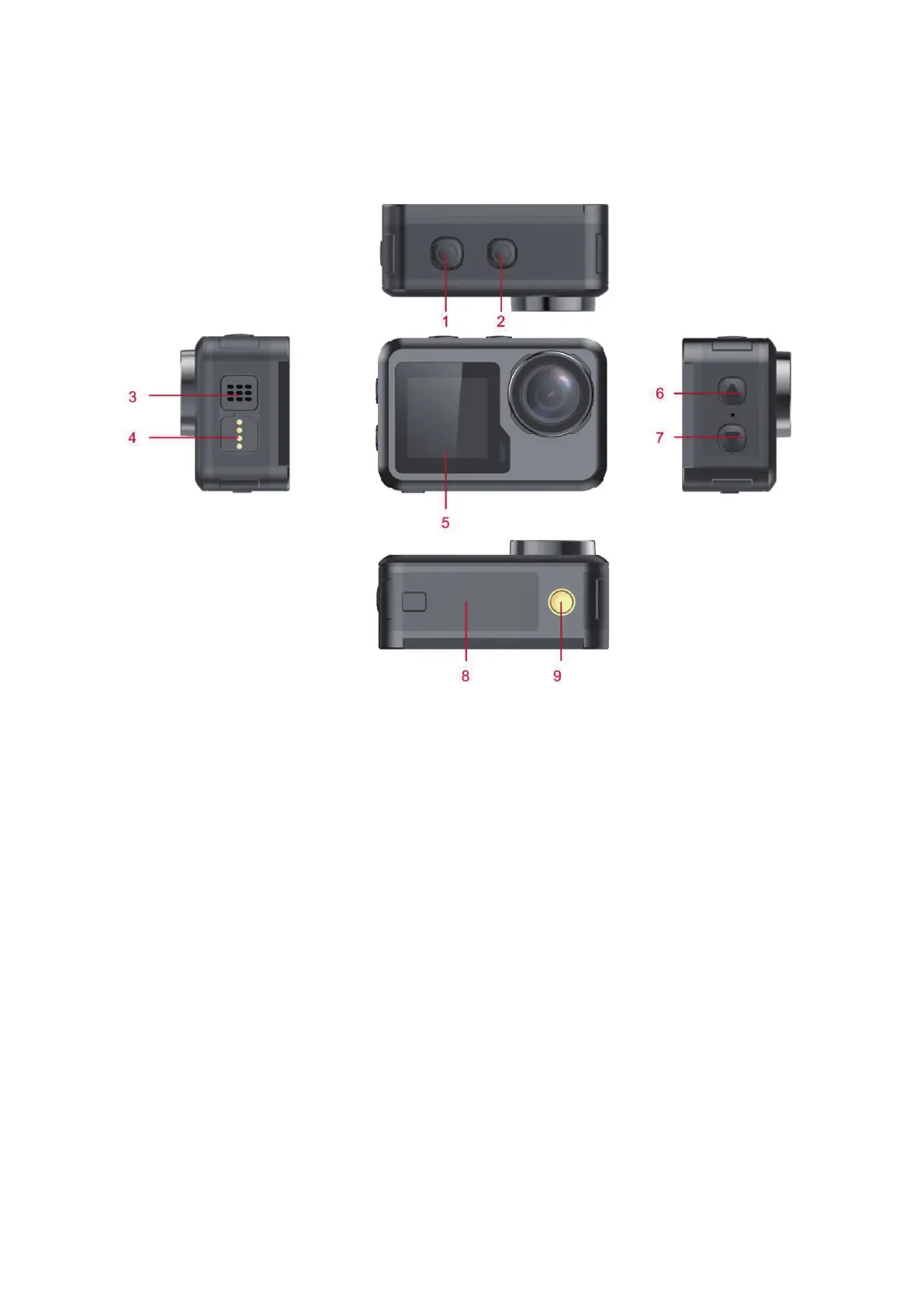
1 OK button 2 Mode button
3 Speaker 4 Magnetic charging interface
5 1.3 i nch screen 6 Up button
7 Down button 8 Battery cover
9 Support interface
Micro Sd memory card is not inclu ded
Function Definition
Mode button
1. Press and hold the “Mode button” for 2-3 secon ds to power o n/off.
2. Short press this key after power on to switch between video/photo/ menu modes.
3. Short press on the menu interface to return to the previous menu or exit.
OK button
1. In recording mode, short press to
start recording, sh o rt press again to stop recording.
2. Short press OK button to take photo in photo model.
3. Short press OK button in playback mode to play video.



 To Next Page