Need help?
Do you have a question about the Salora PSC5335FWD and is the answer not in the manual?
Details buttons and ports on the front and side of the camera, including Power/Mode, Shutter/Select, and I/O ports.
Identifies the top and rear features of the camera, such as the Screen, buttons, speaker, and indicator lights.
Describes the battery door and its latch mechanism for accessing and securing the battery.
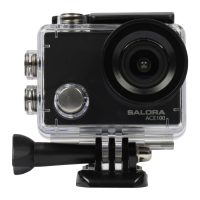
Labels the parts of the waterproof housing, including the Latch, Select/Shutter Button, Up Button, Down/Shutter Button, and Power/Mode Button.
Illustrates how to attach the camera to helmets and other gear using various accessories.
Demonstrates mounting the camera onto a bicycle handlebar and clipping it to a belt.
Explains video recording, including maximum recording time per sequence and how to start a new one.
Describes how to play back recorded content, categorized as Event, Video, or JPEG.
Explains how to capture photos and videos using the OK/Shutter buttons.
Guides users on navigating to Video, Photo, and System Settings via the camera's modes and buttons.
Details video settings like Movie Size (resolutions and frame rates) and other options like Video Quality and Motion Detection.
Outlines photo settings including Resolution, Self-timer, Continuous shooting, and Burst mode.
Covers system configurations like Sounds, Power Frequency, Panel Protect, Power Save, Date & Time, Language, and Format.
Specifies compatible microSD card capacities (4GB-32GB) and the required Class 10 speed rating for reliability.
Details how to charge the battery, including connecting to a power source and observing the charging status light.
Describes the iSmart DV App's capabilities for remote camera control, live preview, and content sharing.
Provides a guide to download the app, power on the camera, connect to Wi-Fi, and enter the password.
 General
| Battery | 900mAh |
|---|---|
| Frame Rate | 30fps |
| Lens Angle | 170° |
| Screen | 2.0 inch LCD |
| Waterproof | 30m |
| Storage | MicroSD |
| Connectivity | HDMI, USB |


 To Next Page