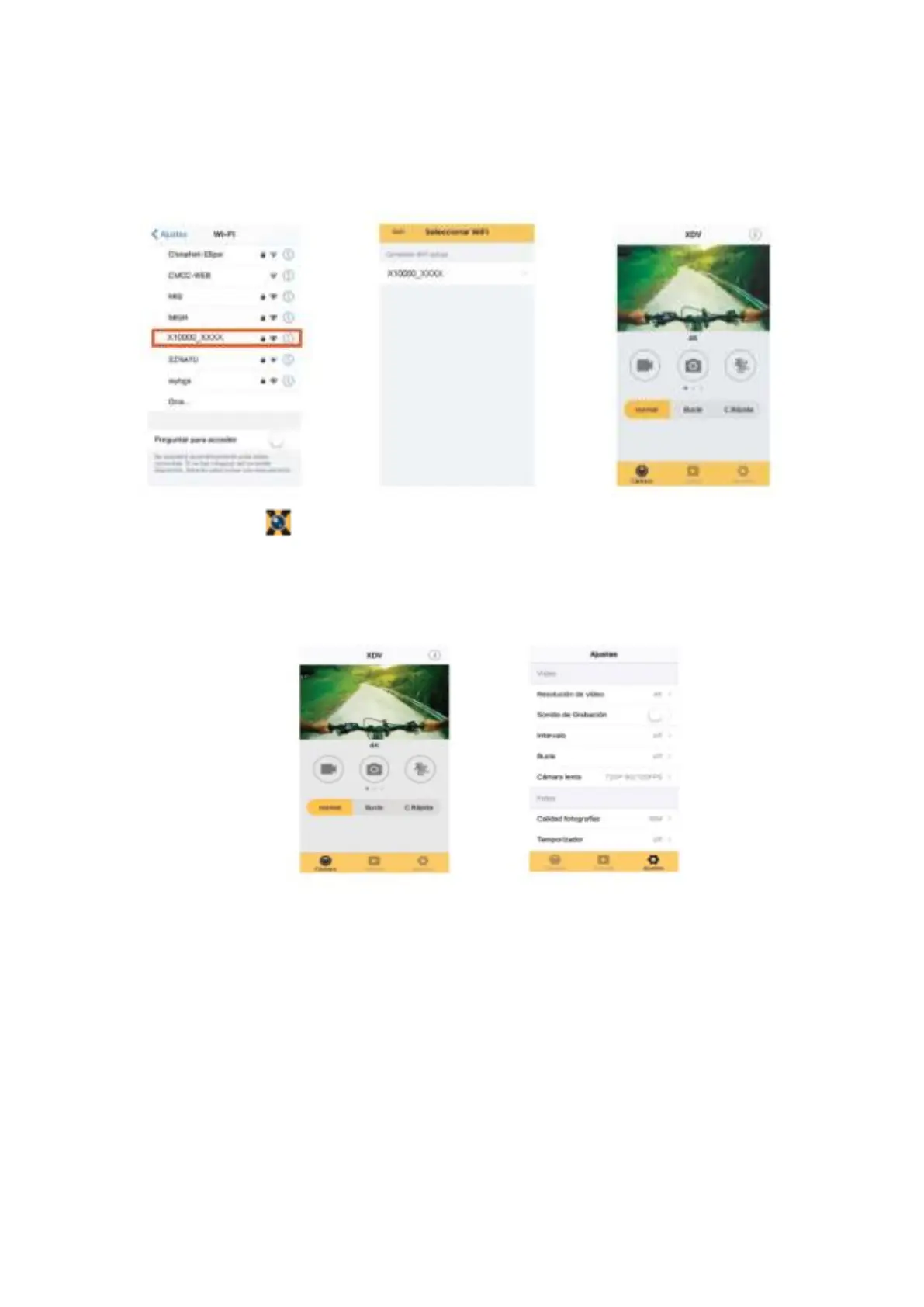
successfully”.
Note: the first time connecting to DV, you need to enter password “66666666”.
4. Click the icon in the App list of the smartphone or tablet to open it. Now you can
preview the image sent by the DV on the phone or tablet and start operating. The
operation interface on terminal is shown in above-right position figure.
This app shows in the main display 3 options: video, photo and movement. In the bottom
side you can see other 3 options: main display, gallery and options
In “options mode” you will be able to configure the camera presets before recording. As in
right position image.
Note: This software XDV has been developed by a third party, so that we are neither
responsible for the operating, nor for the compatibility with all other devices. Also
are we not responsible for any updates.



 To Next Page