41
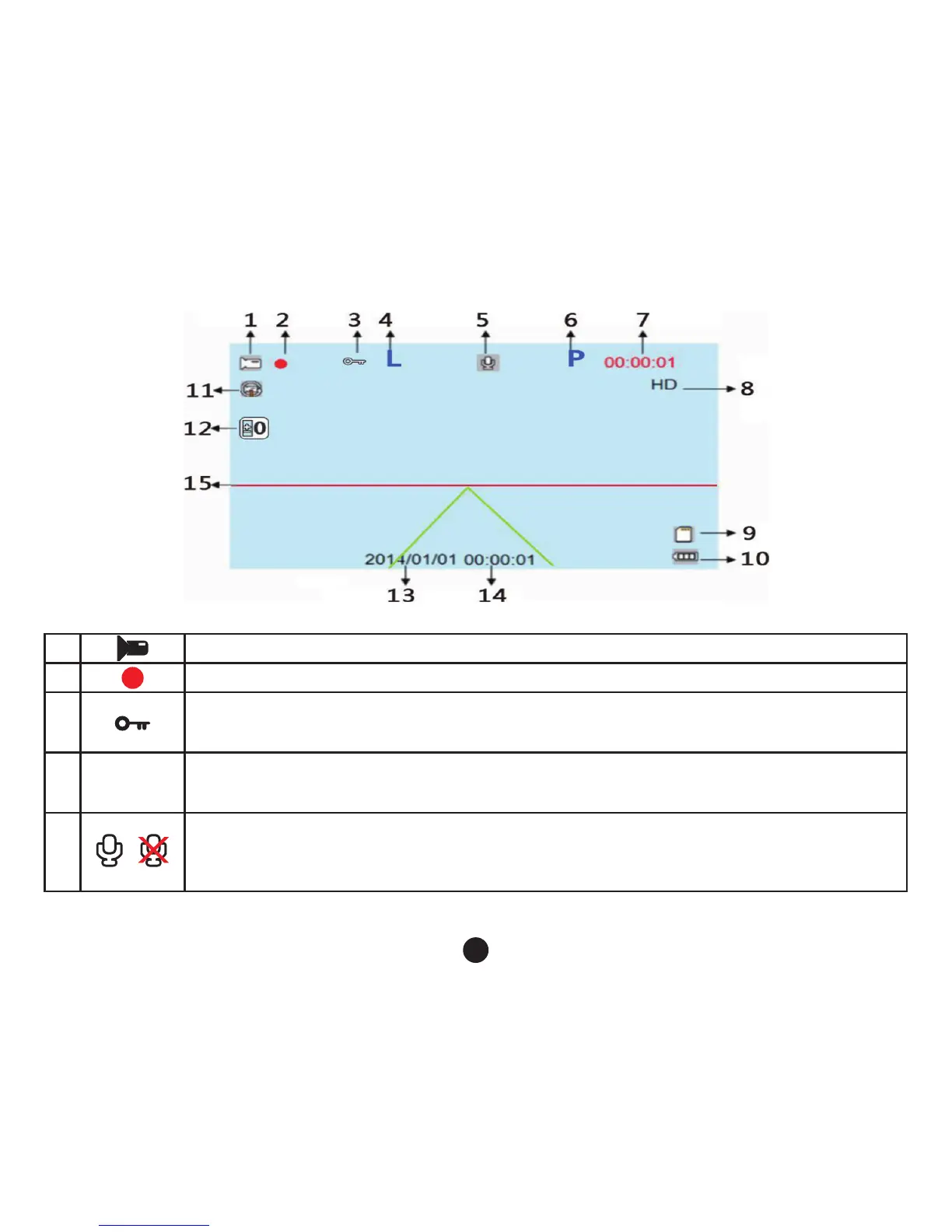
1. Camera mode
2.
Flashing, indicates the device is in progress
3.
To unlock the video le
If the G sensor is activated will appear on the screen, indicating that the current video is a
locked le. As short key, locking the video le.
4. L
Activating Fill Light
You can activate or deactivate this function by entering the menu settings and the icon will be
displayed on the screen, by pressing the s key you can activate the ll light quickly.
5.
Audio On
Audio Off.
You can activate or deactivate this function by entering the menu settings and the icon will be
displayed on the screen, by pressing the key you can activate the audio quickly.



 To Next Page