HD CAR CAMERA
Salora CDC25
OWNER’S MANUAL
INSTRUCTIONS
Power supply:
1. Built-in camera
2. USB power
Features:
Insert the Micro SD card before using the camera; all files will be saved on the SD card.
1. On/Off function:
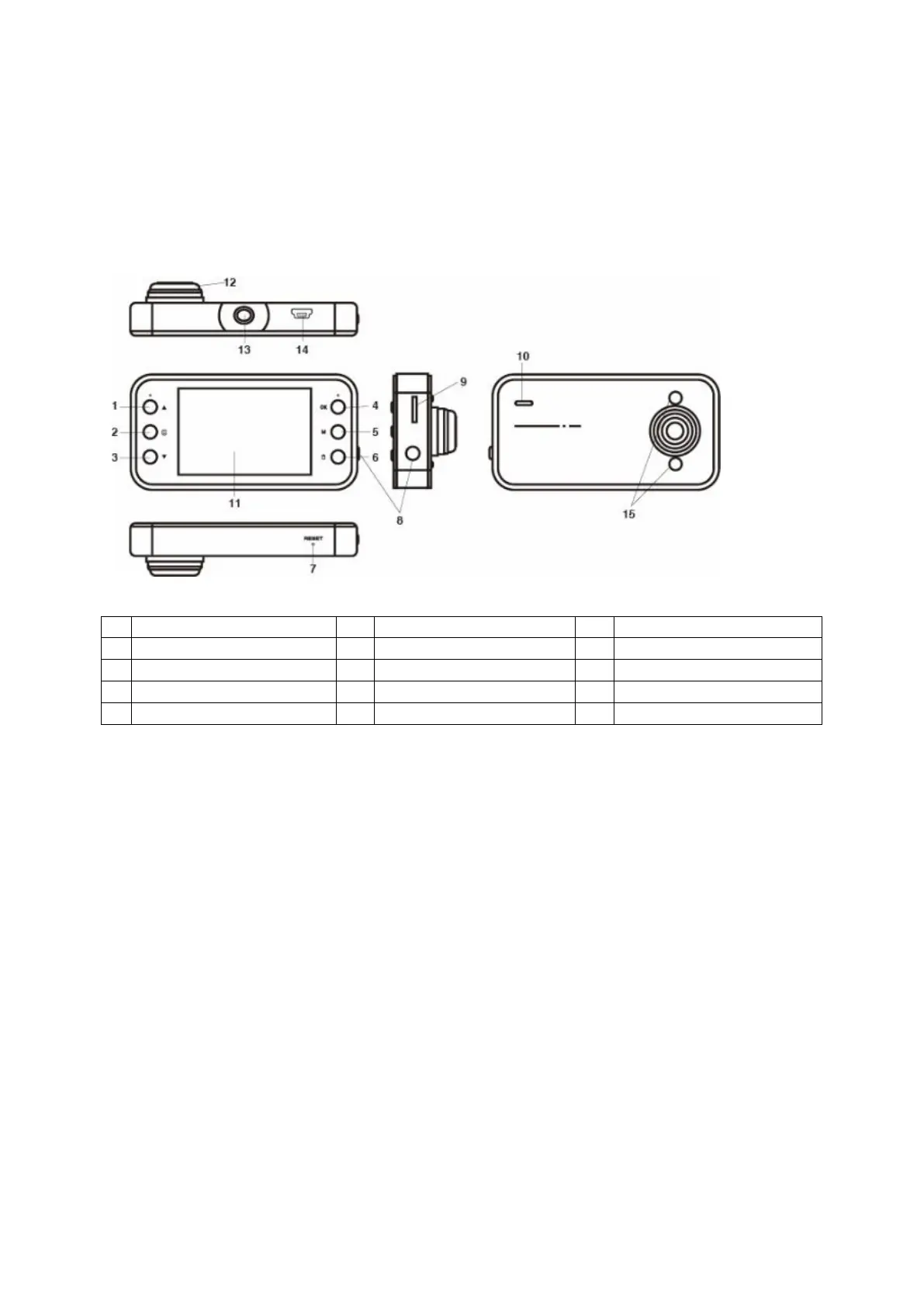
Power on: press briefly the Power On/Off button (8) to activate the camera.
2. Recording function:
Video mode: in Recording standby mode: press briefly the OK button (4) to start the
recording, press again to stop recording and the video file will be saved.
3. Camera function:
Photo mode: in Photo standby mode: press briefly the OK button (4) to take a picture.
4. Playback function:
Playback: in Playback standby mode: press the Up or Down button (1/3) to select a file you
would like to see, then press the OK button (4) to start the playback.
5. Lock function:
By pressing the Lock button (6), the current video will be locked.
Video mode:
By pressing the Menu button (2) you can select the Video mode and enter the menu settings.


 To Next Page
 Loading...