IMPORTANT
To get the best performance from your dishwasher, read all operating instructions
before using it for the first time.
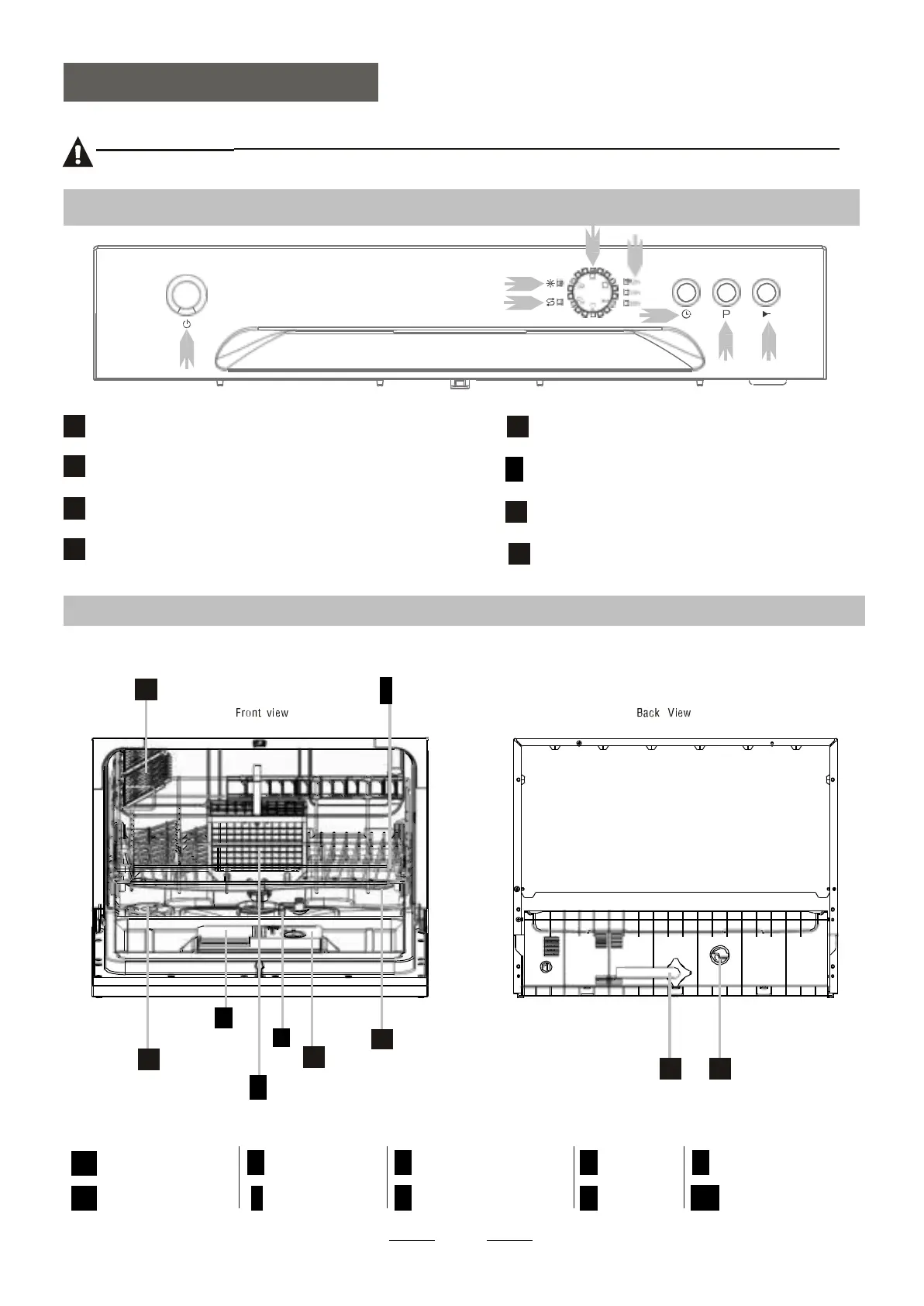
Power Button: To turn on/off the power supply.
Rinse Aid Warning Light : To be on when the
rinse aid dispenser needs to be refilled.
Salt Warning Light : To be on when the softener
needs to be refilled.
Program indicator light
.
Delay time:2/4/6/8 hours option .
(6h:the 2h and 4h lights on at the same time).
6
Delay Button : To press the button to delay.
Washing Program Selector: Press the button
to select wash cycles.
Start/Pause Button: Press this button to start
or pause the dishwasher.
Dishwasher Features
7
8
2
4
6
1
5
3
1
Salt Container
3
Cutlery Basket
5
Rinse Aid Dispenser
7
Cup Shelf
9
Inlet pipe connector
2
Detergent Dispenser
4
Filter assembly
6
Spray Arms
8
Basket
10
Drain pipe connector


 To Next Page