EasyManua.ls Logo

Salora MHS550 - User Manual

Salora MHS550
79 pages
Go to English
Print Icon
To Next Page IconTo Next Page
Loading...
INSTRUCTIEHANDLEIDING
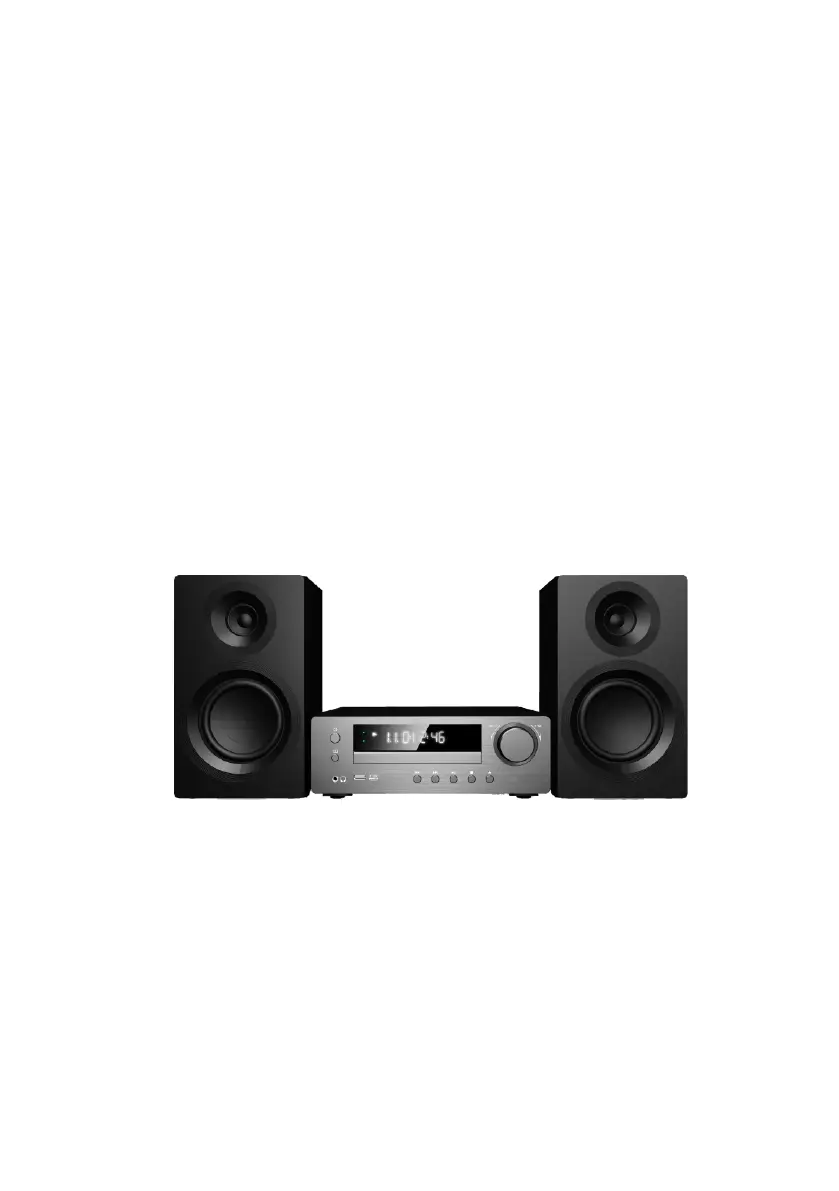
Microsysteem met DAB+, cd-speler en Bluetooth
Modelnr.: MHS550

Questions and Answers

  • A
    Amber GarrettAug 7, 2025
    What to do if my Salora MHS550 has no power?
    • M
      margaretgreenAug 7, 2025
      If your Salora Stereo System has no power, ensure the power cord is properly plugged in. Check if there is power by operating other electronic devices.
  • B
    Brent AlvarezAug 11, 2025
    Why does Bluetooth connection cause noise and sound interruption with my Salora MHS550?
    • C
      Charles AndersonAug 11, 2025
      Noise and sound interruption during Bluetooth connection with your Salora Stereo System can occur due to several reasons: the connected Bluetooth device might be too far from the product (move it closer), wireless access points or other 2.4 GHz wireless devices nearby may be causing interference (move away from these devices), there might be obstacles between the product and the connected equipment (remove any obstacles), or electric wave interference might be present (remove any interfering sources).
  • A
    Alan CastilloAug 15, 2025
    What to do if my Salora MHS550 Stereo System remote control does not work properly?
    • E
      Elizabeth JonesAug 15, 2025
      If the remote control for your Salora Stereo System isn't working correctly, try the following: make sure you're operating the remote within 16 feet (5 meters) of the unit, remove any obstacles that might be blocking the signal between the remote and the unit, and replace the batteries with new ones.
  • N
    nicolegrossAug 19, 2025
    How to fix Bluetooth pairing issues with my Salora MHS550 Stereo System?
    • S
      Steven MortonSep 12, 2025
      If you're having trouble pairing your Salora Stereo System via Bluetooth, check these things: ensure Bluetooth is enabled on the device you're trying to pair with and reconnect Bluetooth; power off other Bluetooth devices nearby or disable their Bluetooth to prevent interference; disconnect the power of other Bluetooth devices or perform pairing operations away from them.
  • R
    rlawsonAug 25, 2025
    What to do if Salora MHS550 Stereo System unit does not start playback?
    • H
      hugheslauraAug 25, 2025
      If your Salora Stereo System won't start playback, make sure you've inserted a playable disc. Also, check the disc for dirt and clean it if necessary.
  • A
    Amanda JonesAug 28, 2025
    Why radio or DAB stations cannot be tuned on Salora MHS550?
    • D
      Danielle HernandezAug 28, 2025
      If you're unable to tune into radio or DAB stations on your Salora Stereo System, the antenna might be poorly positioned or connected. Ensure the antenna is securely connected.
  • M
    Michelle GardnerSep 1, 2025
    What to do if USB does not work on Salora MHS550?
    • T
      Tiffany CastroSep 1, 2025
      To fix a USB that isn't working on your Salora Stereo System, ensure you insert the USB correctly for playback.

Salora MHS550 Specifications

General IconGeneral
BrandSalora
ModelMHS550
CategoryStereo System
TunerYes
CD PlayerYes
Tape DeckNo
USB PortYes
FM RadioYes
Remote ControlYes
Speaker Configuration2.0