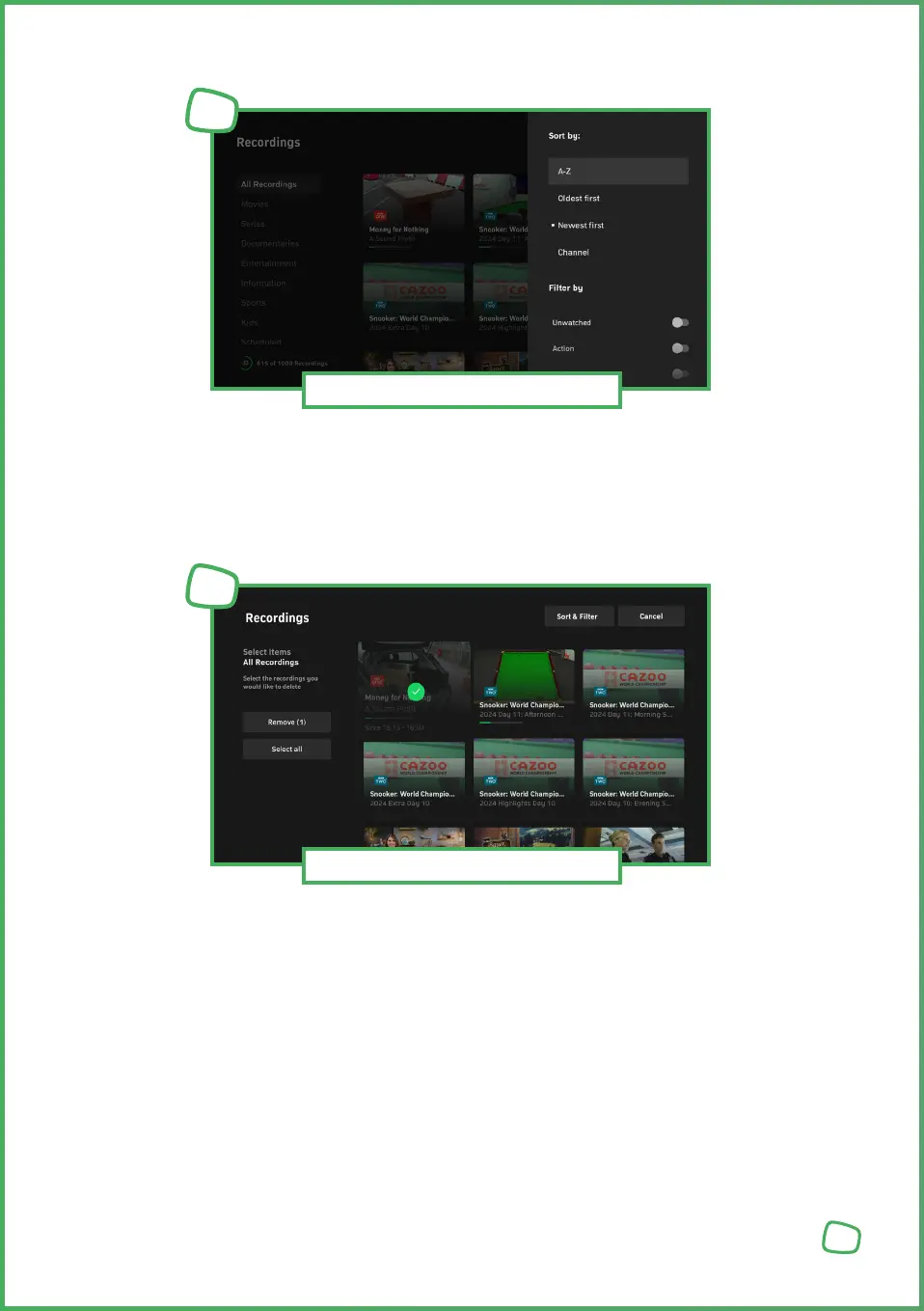
Under „Sorting“, you can arrange your recordings alphabetically, chronologically
(ascending or descending), by channels, or by duration. Under „Filter“, you can
view your recordings filtered by different genres or categories.
Under „Manage“, you can select all or individual recordings to delete. Sorting and
filtering functions are available here for better organization, for example, to show
only recordings in the „Film“ category.
Recording Capacity in number of recordings — The graphical circle display shows
how much of the available capacity is occupied.
Available Recordings — The recorded programmes with preview images are
displayed under „Recordings“. You can also choose a category here, such
as displaying only series recordings in your recordings. If you select the
„Scheduled Recordings“ category, you will see upcoming recordings.
19
Sorting and Filtering Recordings
13
Managing / Deleting Recordings
14


 To Next Page
 Loading...