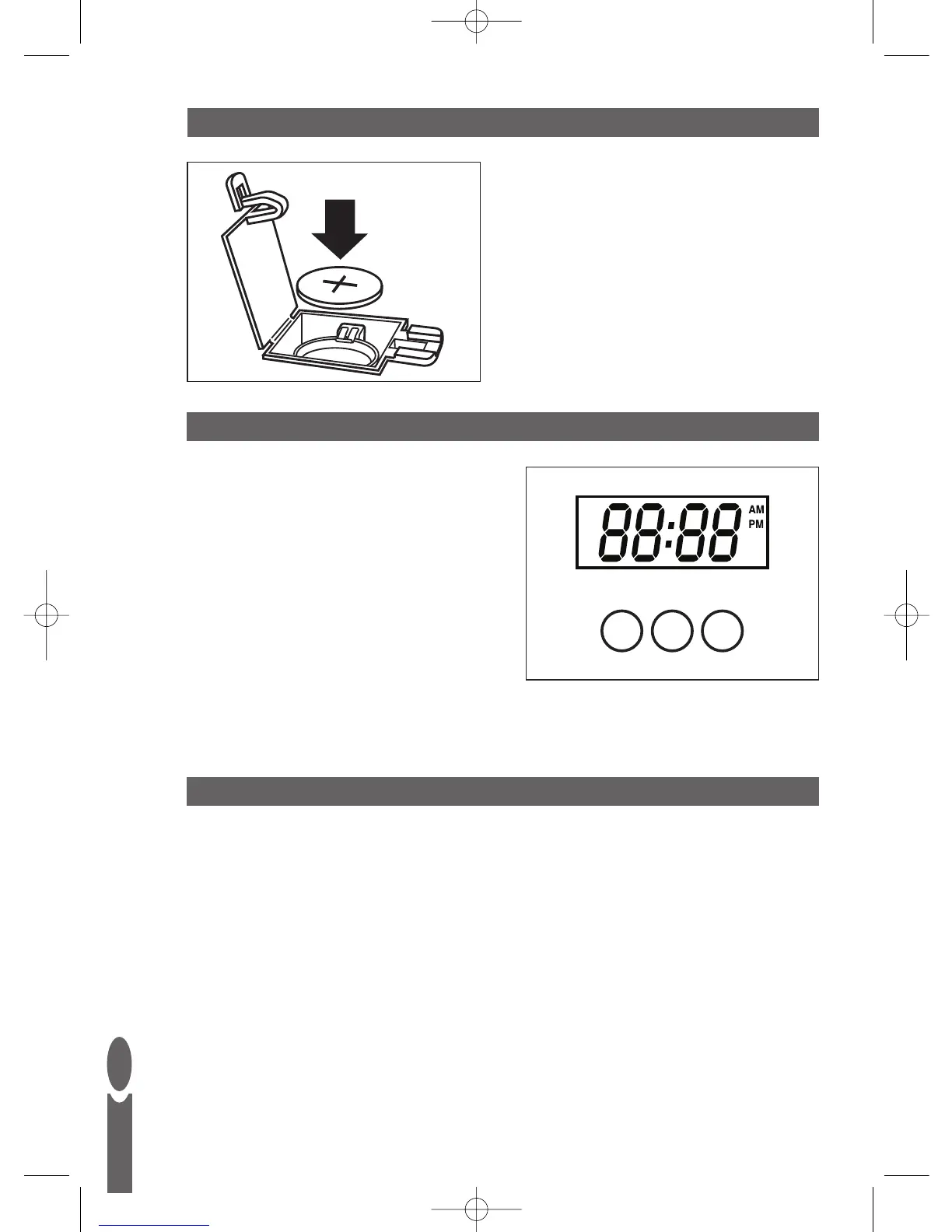
NOTE: The clock on this scale is a 12 hour mode
clock; hence AM/PM is displayed on the screen.
1. To switch to clock mode press TIME button
until ‘TM’ appears in display.
2. Press and hold TIME button for 2 seconds
until the minute digits flash.
3. Press UNIT button to set the minutes.
Hold down button to quicken up selection.
4. Press TIME button.
5. Press UNIT button to set the hour.
Hold down button to quicken up selection.
6. Press TIME button again to set time.
GB
2
TO SET COUNTDOWN TIMER
1. Press TIME button until ‘TMR’ is displayed.
2. Press and hold UNIT button for 2 seconds to reset digits to ‘00.00’.
3. Press and hold TIME button for 2 seconds until display flashes.
4. Press UNIT button to set the seconds. Hold down button to quicken up selection.
5. Press TIME button.
6. Press UNIT button to set the minutes. Hold down button to quicken up selection.
7. Press TIME button to start countdown.
8. The countdown can be stopped by pressing UNIT button.
You can restart it by pressing the UNIT button again.
9. The alarm bleeps for 30 seconds when it reaches ‘00.00’. It will then revert to clock mode.
10. Press any button to stop alarm. Display will show ‘00.00’.
Press UNIT to recall last countdown time and start timer.
SETTING THE CLOCK
TO REPLACE BATTERIES
1. Remove battery door from the rear
of the scale.
2. Ensure +/- terminals are the
correct way around. Before use,
remove the isolating tab.
3. Replace battery door.



 To Next Page