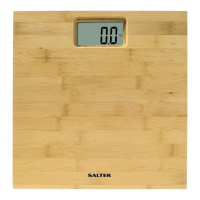
9085
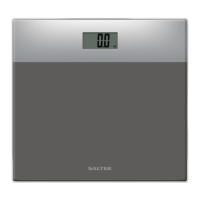
HOW DOES THIS SALTER SCALE WORK? This Salter Scales shows your current
weight and BMI. It also remembers your previous weight and BMI readings and shows
the dierence. This scale stores the personal data of up to 8 users.
NEW FEATURE! This scale features our convenient step-on operation. Once
initialised the scale can be operated by simply stepping straight on the platform – no
more waiting!
PREPARING YOUR SCALE 1. Open the battery compartment on the scale underside.
2. Remove isolating tab from beneath the battery (if fitted) or insert batteries
observing the polarity signs (+ and -) inside the battery compartment. 3. Close
the battery compartment. 4. Select kg, st or lb weight mode by the switch on the
underside of the scale. 5. For use on carpet attach enclosed carpet feet. 6. Position
scale on a firm flat surface.
INITIALISING YOUR SCALE 1. Press the platform centre and remove your foot.
2. ‘0.0’ will be displayed. 3. The scale will switch o and is now ready for use.
This initialisation process must be repeated if the scale is moved.
At all other times step straight on the scale.
WEIGHT READING ONLY 1. Step on and stand very still while the scale computes
your weight. 2. Your weight is displayed. 3. Step o. Your weight will be displayed
for a few seconds. 4. The scale will switch o.
AUTO USER DETECTION Auto User Detection allows Weight and BMI readings by
simply stepping straight onto the platform – no more waiting! The scale recognises a
user +/-2.5kg from the previous weight reading.
NOTE: A user number must be set up and previous weight reading taken to use Auto
User Detection.
PERSONAL DATA ENTRY
11. Press the platform centre and remove your foot.
12. Press the button.
13. While the user number is flashing, select a user number by pressing the or
buttons. Press the button to confirm your selection.
14. The male or female symbol will flash. Press or to select male/female, then
press the
button.
15. The height (cm/’:”) mode display will flash.
16. Press button until the correct symbol is flashing, then press the button.
16. The height display will flash.
16. Press or as necessary to set your height, then press the button.
17. The age display will flash.
16. Press and as necessary to set your age, then press the button.
18. The Auto User Detection display will flash A-on/A-o.
19. Press or to select A-on or A-o, then press the button.
10. The display will show your settings, then switch o. The memory is set.
11. Repeat procedure for a second user, or to change user details.
NOTE: To update or overwrite the memorised data, follow the same procedure,
making changes as required.
WEIGHT & BMI READINGS
Auto User Detection o:
1. Position scale on a firm flat surface.
2. Press the platform centre and remove your foot.
3. Press the button.
4. Whilst the user number is flashing select your user number by pressing the
or buttons. Your settings will be displayed.
5. Wait until the user number stops flashing. Zero will be displayed.
6. When zero is displayed, step onto the platform and stand still.
7. After 2-3 seconds your weight, weight dierence, BMI, BMI dierence will be
displayed.
8. The scale will turn o.
Auto User Detection on:
1. Step on and stand very still while the scale computes your weight.
2. Step o. Your weight will be displayed for a few seconds.
3. If the weight reading is within +/-2.5kg of a previous weight reading the scale will
show the user number MEM1 – MEM8.
4. If the user number is correct wait and after 2-3 seconds your weight, weight
dierence, BMI and BMI dierence will be displayed.
5. If the user number is incorrect, while the user number is flashing, select a user
number by pressing the or buttons. Press button to confirm your selection.
NOTE: Select MEM0 for a guest user. The weight reading will not be saved.
WHAT DOES MY BMI VALUE MEAN? Body Mass Index (BMI) is an index of weight-
for-height that is commonly used to classify underweight, overweight and obesity in
adults. This scale calculates your BMI value for you. The BMI categories shown in the
chart and table below are recognised by the WHO (World Health Organisation) and
can be used to interpret your BMI value.
Your BMI category can be identified using the table below.
BMI Category BMI Value Meaning Health Risk Based Solely On BMI
< 18.5 Underweightt Moderate
18.6-24.9 Normal Low
25-29.9 Overweight Moderate
30+ Obese High
IMPORTANT: If the chart/table shows that you are outside of a ‘normal’ healthy
weight range, consult your doctor before taking any action. BMI classifications are for
adults (age 20+ years) only.
PERSONAL SCALES
Instructions and Guarantee
E
kg
m
st
ft

 Need help?

 To Next Page
 General