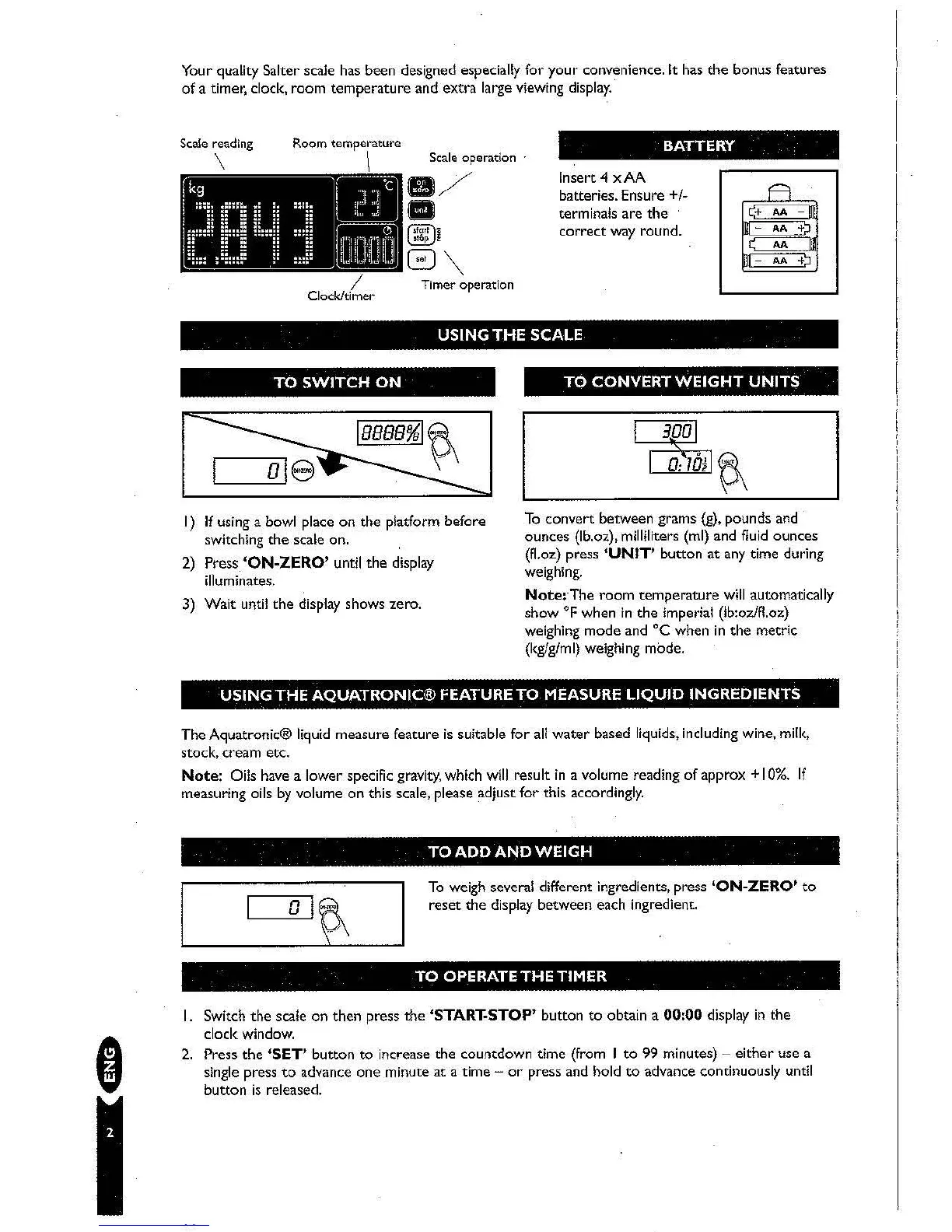
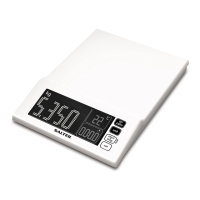
Your quality Salter scale has been designed especially for
your
convenience.
It
has
the
bonus features
of a timer, clock, room
temperature
and
extra
large viewing
display.
Scale reading
\
Room temperature
\
/
Clock/timer
TO
SWITCH
ON
BATTERY
Scale operation
Insert 4
xAA
batteries. Ensure
+1-
terminals are
the
correct
way round.
Timer operation
USING
THE
SCALE
TO
CONVERT
WEIGHT
UNITS
I)
If
using a bowl place
on
the platform before
switching
the
scale on.
2)
Press
'ON-ZERO'
until
the
display
illuminates.
3)
Wait
until
the
display shows zero.
To
convert
between grams (g), pounds and
ounces
(lb.Qz), milliliters (ml) and fluid
ounces
(f1.oz)
press
'UNIT'
button
at
any time during
weighing.
Note:-The room temperature
will
automatically
show
OF
when
in
the
imperial (lb:ozlfl.oz)
weighing
mode
and
°C
when
in
the
metric
(kglglml) weighing mode.
,
I
USING
THE
AQUATRONIC®
FEATURE
TO
MEASURE
LIQUID
INGREDIENTS
The
AquatroniC® liquid measure feature
is
suitable for
all
water
based liquids, including wine, milk,
stock, cream etc.
Note:
Oils have a lower specific gravity, which
will
result
in
a volume reading of approx + I
0%.
If
measuring oils
by
volume
on
this scale, please adjust
for
this accordingly.
TO
ADD
AND
WEIGH
To
weigh several different ingredients, press
'ON-ZERO'
to
reset
the
display between each ingredient.
TO
OPERATETHETIMER
I.
Switch
the
scale
on
then
press
the
'STARl:STOP'
button
to
obtain a
00:00
display
in
the
clock window.
2.
Press
the
'SET'
button
to
increase the countdown time (from I
to
99 minutes) -
either
use a
single press
to
advance
one
minute
at
a time -
or
press and hold
to
advance continuously until
button
is
released.


 To Next Page