ENGLISH
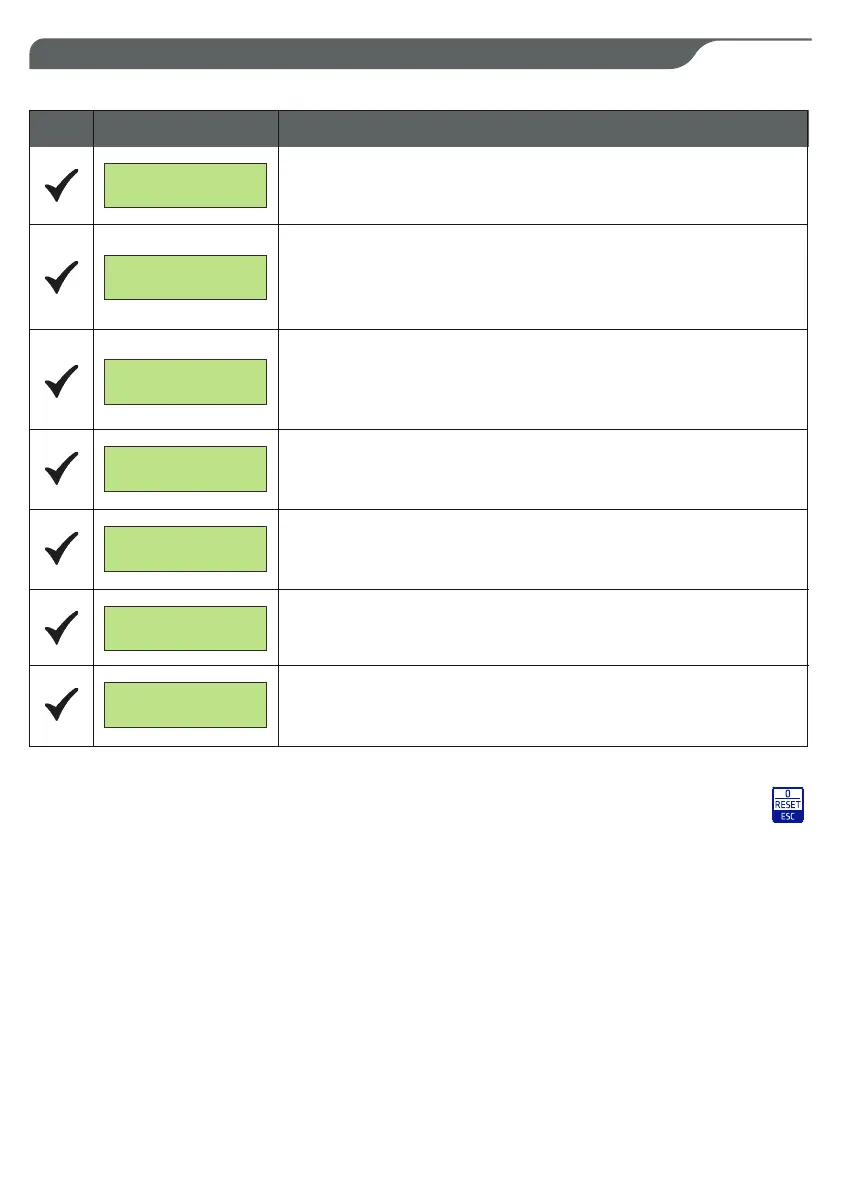
9. ALARM MESSAGES
SCREEN
DESCRIPTION
If
the sense
of the
cycle of
the
input voltages R, S, o, T
(SA607.xx)
is
inverted, the display
will show
the
following
message.
MAXIMUM CURRENT
PRESS RESET
ALARM
MINIMUM VOLTAGE
ALARM
MAXIMUM VOLTAGE
ALARM
LACK OF PHASE
ALARM
REV. RST PHASES
DATA
LOGGER
If the current absorbed by the motor exceeds that adjusted in the setup, the
motherboard will turn off the motor and the display will show the following
message.
If the
supply voltage drops below the minimum
voltage
and this
condition
persists
for
5
seconds
the
alarm is activated, the motor
is no
longer powered
and
you will
see
the following
message.
If
the voltage
is
within the set
range
and stays
there
for
60 seconds, the
motherboard will automatically reset
the
alarm.
If
the
supply
voltage
exceeds the maximum
voltage and
this condition
persists for 0.5 seconds
the alarm
is
activated, the motor
is no longer
powered and
you will
see
the following
message.
If the voltage
is
within the
set range and
stays
there
for
60 seconds,
the motherboard
will
automatically reset
the alarm.
If
the
motherboard detects
the absence
of one of
the
three
phases R,
S,
or T,
(SA607.xx), the display shows
the
following
message.
button
for 2
seconds.
All
alarms are automatically reset except for
the
maximum current
which
is reset
by
pressing
the
If the motherboard
detects a
current
imbalance of the
3
phases
higher than
the set threshold, the
display will
show the following message.
PHASES UNBALANCE
PRESS RESET
If the motherboard
detects
the
absorption
current
on
one
of the 3
phases
R,
S,
or T
(SA607.xx)
less
than 0,5A
the
display
will show the following
message.
-- CURRENT < 0.5 A
PRESS RESET
29


 To Next Page